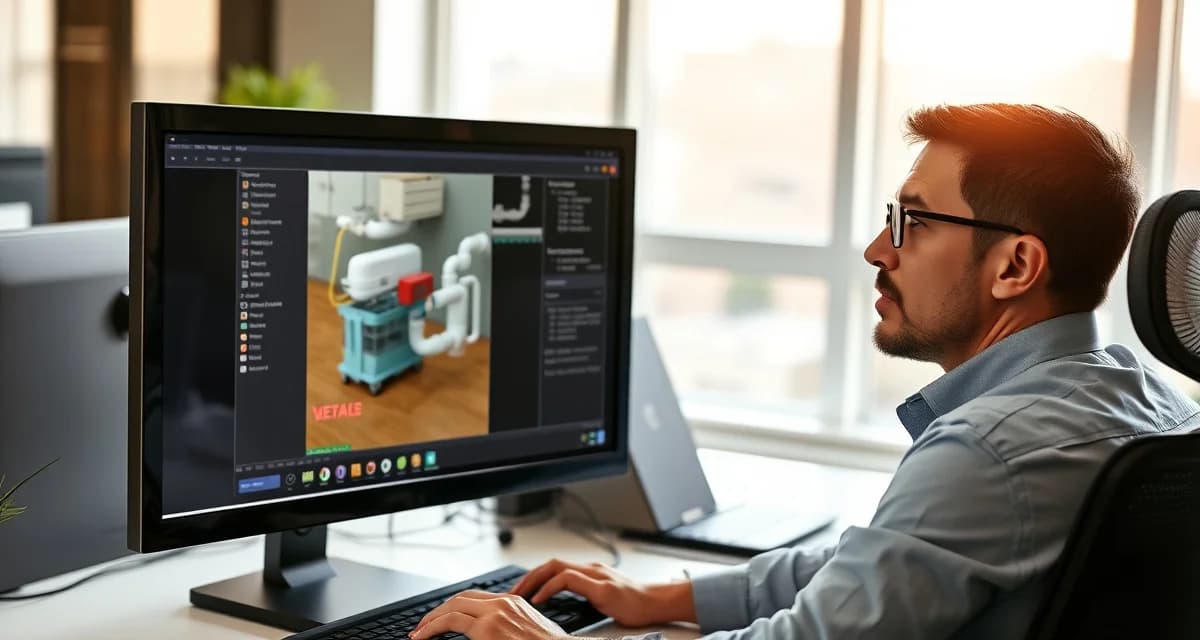
SepticMind Training Video Library: Learn Every Feature in Minutes
By the SepticMind Editorial Team
Companies using video training get new staff fully operational 3 days faster than text-documentation users. Video-based software training improves feature adoption by 78% compared to text-only documentation, because watching someone complete a workflow is faster to internalize than reading instructions for it.
TL;DR
- SepticMind Training Video Library: Learn Every Feature in Minutes is designed to address the specific workflow and compliance requirements of septic service operations.
- Purpose-built septic software handles permit tracking, state inspection report templates, and tank data management that generic platforms do not offer.
- Companies managing ATU contracts, multi-county permit portfolios, or real estate inspection volume need software designed around those workflows.
- Mobile access allows field technicians to complete and submit inspection reports before leaving a property.
- Cloud-based platforms ensure records are accessible from any device and backed up automatically.
- Switching costs from generic software are real, so evaluating septic-specific platforms early saves migration pain later.
SepticMind's training videos are organized by role and feature so staff find relevant content instantly rather than searching through a generic help center.
How the Training Library Is Organized
SepticMind's training video library is organized by user role, not by software module. This matters because a dispatcher's training needs are completely different from a technician's needs, which are different again from an office manager's. A role-organized library means each person watches the videos relevant to their job, not everything.
Dispatcher videos cover: scheduling and route creation, job assignment and reassignment, real-time job status monitoring, customer record lookup, inbound call workflow (accessing system information during a customer call), and dispatch board navigation.
Technician videos cover: mobile app navigation, job check-in and status updates, service record completion in the field, photo capture and attachment, offline mode operation, digital signature collection, and work order documentation.
Office manager videos cover: customer record creation and management, service agreement setup and management, invoice generation and delivery, payment processing, accounts receivable monitoring, compliance record review, and report generation.
Owner/administrator videos cover: rate schedule configuration, compliance template selection, technician and user account management, account-level reporting, billing automation setup, and integration configuration with accounting software.
Getting New Staff Operational
The most critical time for training is when a new employee starts. A technician who isn't confident with the mobile app creates documentation gaps on their first routes. A dispatcher who doesn't know how to access customer history during inbound calls creates longer handle times and poorer customer experiences.
SepticMind's onboarding video sequence walks new staff through their role-specific workflows in a defined order that builds knowledge progressively:
For new technicians:
- Logging in and navigating the mobile app (5 minutes)
- Starting a job and checking in at a customer location (8 minutes)
- Completing a service record during the visit (12 minutes)
- Attaching photos and notes (6 minutes)
- Digital signature collection (4 minutes)
- Marking a job complete and triggering billing (5 minutes)
- Offline mode operation for areas without cellular coverage (7 minutes)
A new technician who completes this sequence has the core field workflow covered in under an hour of video. That's faster than most live training sessions and available at any time, including on evenings before their first shift.
For new dispatchers:
- Overview of the dispatch board (8 minutes)
- Creating a new job from an inbound call (10 minutes)
- Route building and optimization (12 minutes)
- Real-time job monitoring and status updates (8 minutes)
- Customer record access and history lookup (7 minutes)
- Reassigning and rescheduling jobs (9 minutes)
Accessing Training Videos
SepticMind's training library is accessible from your browser and from the mobile app. Technicians who need a quick refresher on a feature while in the field can access videos directly from the mobile app without calling the office.
This access-from-anywhere model matters for companies with distributed teams. A technician in the field who encounters a workflow they haven't used before (setting up a new commercial account type, completing an inspection checklist for a system type they don't often service) can pull up the relevant training video in their mobile app rather than calling in.
Offline video access. Frequently used training videos can be downloaded for offline access before heading into areas with limited connectivity. This is most useful for technicians serving rural areas where cellular coverage is unreliable.
SepticMind's software onboarding guide covers the full implementation process including data migration, configuration, and team training sequencing. SepticMind's user training resources cover ongoing training resources beyond the initial onboarding video sequence.
Get Started with SepticMind
The right software for a septic company handles compliance and documentation alongside scheduling and billing. SepticMind is built specifically for septic operations, from county permit tracking to ATU maintenance management. Start a free trial to evaluate it against your workflow.
Frequently Asked Questions
What topics are covered in SepticMind's video training library?
SepticMind's training library covers all core software features organized by user role. Technician training covers mobile app navigation, job check-in, service record completion, photo attachment, offline mode, and digital signature collection. Dispatcher training covers dispatch board navigation, job creation, route building, customer record lookup, and real-time job status monitoring. Office manager training covers customer record management, service agreement setup, invoicing, payment processing, accounts receivable management, and compliance record review. Administrator training covers rate schedule configuration, compliance template selection, user account management, billing automation, and accounting software integration. The library is updated when new features are released so training content reflects the current version of the software.
How long does it take to complete the SepticMind training video series?
Role-specific completion time varies. A new technician can complete the core field workflow videos in under 60 minutes. A new dispatcher can complete the dispatch and scheduling videos in under 90 minutes. Office manager training covering the full billing, customer management, and compliance features runs approximately 2-3 hours. Administrator training for configuration and reporting features runs 2-4 hours depending on the complexity of your setup. Most teams don't complete all videos in one session, staff typically watch role-specific videos during their onboarding week and return to specific feature videos when they need to complete a less-common workflow for the first time. The library structure makes it practical to learn what you need when you need it, rather than completing an exhaustive sequence before starting work.
Can I access training videos from my phone in the field?
Yes. SepticMind's training video library is accessible from the mobile app, so technicians can pull up training content from any phone or tablet. For frequently referenced videos, offline download is available, download the video while on WiFi and access it in the field without cellular connectivity. This is particularly useful for technicians who are new to a specific workflow: a technician completing their first ATU maintenance job can review the ATU maintenance workflow video before arriving at the property, then access it again in the field if needed. The mobile access eliminates the barrier of needing to call the office or wait until returning to a desktop to get a training refresher on a less-common feature.
What makes SepticMind Training Video Library: Learn Every Feature in Minutes different from general field service software?
The primary differences are septic-specific features: county permit databases, state inspection report templates formatted for regulatory submission, tank size and system type records that drive service interval calculations, and ATU maintenance contract management. General field service platforms can handle scheduling and invoicing but require manual workarounds for every compliance and documentation task that purpose-built septic software handles automatically.
Is there a free trial available to test the software?
SepticMind offers a free trial period so you can evaluate the platform with your actual workflow before committing. The trial includes access to the permit database, inspection report templates, and scheduling tools. Most companies complete their evaluation within two to three weeks and have a clear picture of how the platform fits their operation before the trial ends.
Try These Free Tools
Sources
- National Onsite Wastewater Recycling Association (NOWRA)
- US EPA Office of Wastewater Management
- National Environmental Services Center (NESC)
- Water Environment Federation
- Occupational Safety and Health Administration (OSHA)