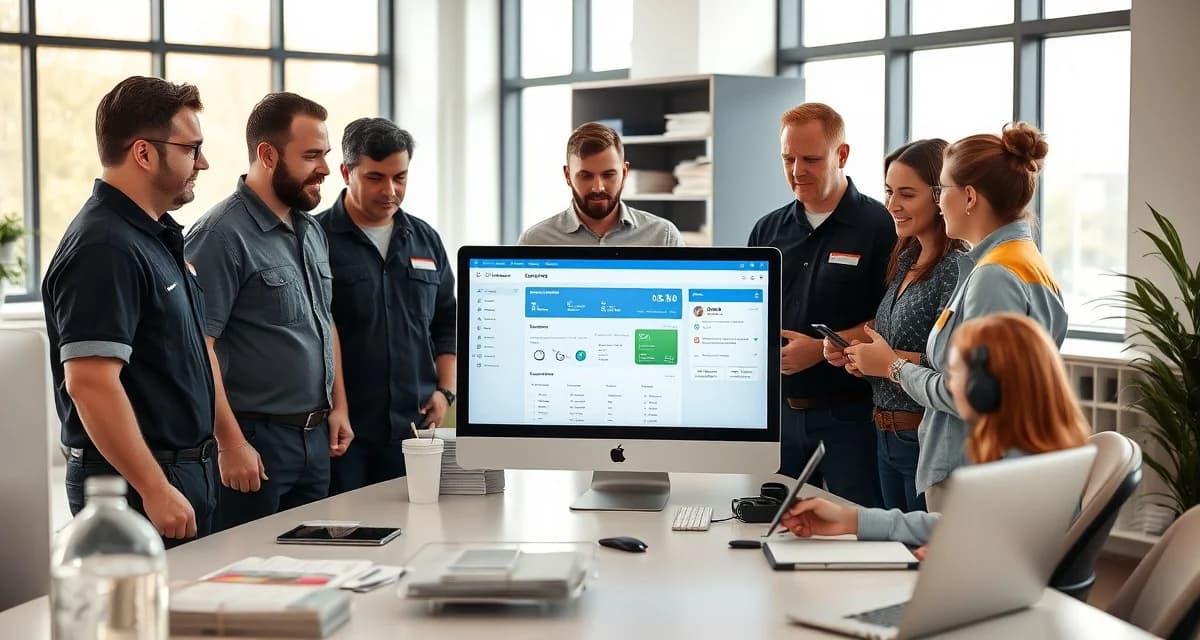
SepticMind User Training: Get Your Team Up to Speed Fast
By the SepticMind Editorial Team
Poor software training is the leading cause of low adoption rates in field service companies. The company pays for the software, the owner or manager learns it, and everyone else continues doing what they were doing before because nobody showed them how the new system works for their specific job.
TL;DR
- SepticMind User Training: Get Your Team Up to Speed Fast is designed to address the specific workflow and compliance requirements of septic service operations.
- Purpose-built septic software handles permit tracking, state inspection report templates, and tank data management that generic platforms do not offer.
- Companies managing ATU contracts, multi-county permit portfolios, or real estate inspection volume need software designed around those workflows.
- Mobile access allows field technicians to complete and submit inspection reports before leaving a property.
- Cloud-based platforms ensure records are accessible from any device and backed up automatically.
- Switching costs from generic software are real, so evaluating septic-specific platforms early saves migration pain later.
SepticMind's role-based training paths get dispatchers, technicians, and office managers trained in under three hours each. Companies with structured software training achieve full adoption four times faster than those without training plans.
Here's the training approach that works.
Start With Role-Based Training, Not Company-Wide
The biggest training mistake is gathering everyone together for a single overview session. The dispatcher needs to know the dispatch board. The technician needs to know the field app. The office manager needs to know invoicing and reporting. These aren't the same things.
When you mix everyone into a single session, the dispatcher is learning mobile app features that don't apply to them and tuning out. The technician is confused by dispatch board terminology that isn't relevant to their work. Nobody leaves knowing what they actually need to know.
Train each role separately, with content specific to their daily functions.
Dispatcher Training: What to Cover
How long does it take for a dispatcher to become proficient in SepticMind?
With focused role-specific training, most dispatchers are proficient within one week of going live. The training content:
Session 1 (90 minutes): Core dispatch functions
- Creating jobs from customer calls
- Assigning jobs to technicians
- The dispatch board view and how to read it
- How compliance templates load when a job is created
- Permit requirement checking at job creation
Session 2 (60 minutes): Customer management
- Searching customer records
- Viewing service history
- Adding and updating customer information
- Setting up maintenance reminder intervals
Practice: Create 5-10 real jobs from your first week of live operation with the trainer or manager available for questions.
After the first week of real use, dispatchers typically need only occasional questions answered rather than structured training. Most questions during the first week are about edge cases that weren't covered in training, which is normal and expected.
Technician Training: Focus on the App
How do I train my septic technicians to use SepticMind's field app?
Technician training should be hands-on from the start. The best training format:
In-person app walkthrough (45 minutes):
- Installing the app and logging in
- Finding their assigned jobs for the day
- Viewing job details and customer information
- The pre-trip check-in flow
- Marking arrival, starting work, and marking completion
- Taking and attaching photos to the job
- Adding service notes
Inspection form walkthrough (45 minutes, for technicians doing inspections):
- Opening the inspection form from the job
- Working through the checklist component by component
- Selecting condition ratings from the standardized options
- Adding notes for specific findings
- Reviewing the generated report preview before sending
Shadow day:
Have the technician shadow a day of real jobs with the trainer or a colleague, using the app for every job. Answer questions as they arise from actual use, not hypothetical scenarios.
What training resources does SepticMind provide for new users? SepticMind's onboarding resources include role-specific video guides, a help center with step-by-step articles, and direct support access during the first 30 days. These resources supplement the hands-on training you provide internally.
Office Manager Training: Invoicing and Reporting
Office managers need to know the back-end features that dispatchers and technicians don't use: invoicing, payment reconciliation, reporting, and compliance documentation.
Session 1 (60 minutes): Invoicing and payments
- Viewing and sending invoices
- Recording payments
- QuickBooks sync operation
- Handling payment disputes or credits
Session 2 (45 minutes): Reporting
- Running standard reports (jobs per day, revenue, technician performance)
- Compliance reports (permit status, ATU quarterly report status)
- Customer segmentation for marketing campaigns
Session 3 (45 minutes): Compliance and record management
- Accessing permit records by job
- Running compliance audit reports
- Managing insurance documentation and expiration alerts
Building a Quick Reference System
After initial training, your team will have questions during real-world use that aren't covered in training. Build a quick reference system they can use without having to call anyone:
- A one-page printed reference for the dispatch board functions
- A one-page printed reference for the field app sequence (tech workflow from start to complete)
- A folder of commonly asked questions and answers based on real questions from your first month
Keep these reference materials updated as your workflow evolves.
Get Started with SepticMind
The right software for a septic company handles compliance and documentation alongside scheduling and billing, not just the basics. SepticMind is built specifically for septic operations, from county permit tracking to ATU maintenance management. Start a free trial to evaluate it against your workflow.
Frequently Asked Questions
How do I train my septic technicians to use SepticMind's field app?
Use a hands-on approach starting with a 90-minute in-person walkthrough covering job viewing, arrival check-in, photo attachment, and job completion. For inspection technicians, add a 45-minute session covering the inspection checklist and report preview. Follow classroom training with a shadow day where the technician uses the app on real jobs with support available. Most technicians are independently proficient after their first week of live use. The hands-on approach works better than video-only training for field app functions.
How long does it take for a dispatcher to become proficient in SepticMind?
Most dispatchers reach independent proficiency within one week of going live, with role-specific training of about 2.5 hours total (two structured sessions) followed by supported use during the first week. The first week generates the most questions as edge cases come up in real use. By week two, most dispatchers are running the dispatch board independently and needing only occasional guidance on unusual situations.
What training resources does SepticMind provide for new users?
SepticMind provides role-specific video walkthroughs, a searchable help center with step-by-step articles and screenshots, and direct support access during your first 30 days. The help center covers the most common questions by role and workflow. Video guides are particularly useful for technicians who prefer to watch a process before trying it themselves. For complex account configurations or company-specific setup questions, direct support is available during the onboarding period.
What makes SepticMind User Training: Get Your Team Up to Speed Fast different from general field service software?
The primary differences are septic-specific features: county permit databases, state inspection report templates formatted for regulatory submission, tank size and system type records that drive service interval calculations, and ATU maintenance contract management. General field service platforms can handle scheduling and invoicing but require manual workarounds for every compliance and documentation task that purpose-built septic software handles automatically.
Is there a free trial available to test the software?
SepticMind offers a free trial period so you can evaluate the platform with your actual workflow before committing. The trial includes access to the permit database, inspection report templates, and scheduling tools. Most companies complete their evaluation within two to three weeks and have a clear picture of how the platform fits their operation before the trial ends.
Try These Free Tools
Sources
- National Onsite Wastewater Recycling Association (NOWRA)
- US EPA Office of Wastewater Management
- National Environmental Services Center (NESC)
- Water Environment Federation
- Occupational Safety and Health Administration (OSHA)