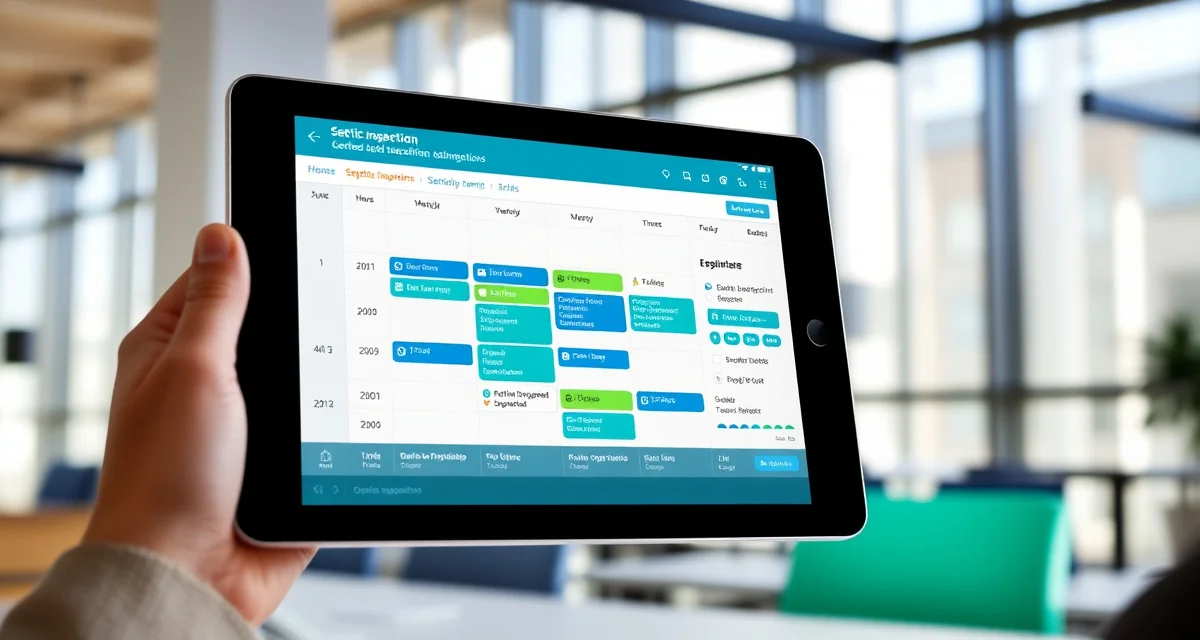
Septic Inspection Scheduling Software for High-Volume Companies
By the SepticMind Editorial Team
High-volume septic inspection companies have a scheduling problem that generic calendar tools don't solve. You need to match inspections to certified staff, prevent double-booking, account for drive time between appointments, and still handle same-day requests when the real estate market is active.
TL;DR
- Septic Inspection Scheduling Software for High-Volume Companies is designed to address the specific workflow and compliance requirements of septic service operations.
- Purpose-built septic software handles permit tracking, state inspection report templates, and tank data management that generic platforms do not offer.
- Companies managing ATU contracts, multi-county permit portfolios, or real estate inspection volume need software designed around those workflows.
- Mobile access allows field technicians to complete and submit inspection reports before leaving a property.
- Cloud-based platforms ensure records are accessible from any device and backed up automatically.
- Switching costs from generic software are real, so evaluating septic-specific platforms early saves migration pain later.
Companies managing this manually double-book 3 to 4 percent of appointments per week. At an average lost-revenue cost of $800 per double-booked incident, that's thousands of dollars per month in scheduling errors alone, without counting the customer relationship damage.
Why Inspection Scheduling Is Different From Pumping Scheduling
Pump truck scheduling is primarily a logistics problem. Which truck goes where, in what order, to maximize daily job count.
Inspection scheduling adds a certification layer that pumping doesn't have. Not every technician on your staff is certified to perform every type of inspection. A septic system inspector cert doesn't automatically qualify a tech to inspect a mound system or an aerobic treatment unit in states that require system-specific endorsements.
When you're running 15 or 20 inspections per day, manually checking whether each inspector is certified for each inspection type is error-prone and slow. Assigning an uncertified inspector to a permitted inspection creates liability, not just a scheduling inconvenience.
SepticMind's scheduling engine prevents double-booking and routes inspection jobs to certified inspectors only, matching job requirements to technician credentials automatically.
The Double-Booking Problem
Double-booking happens when two different people are scheduling from the same calendar without real-time visibility into what the other is booking. In busy periods, like spring real estate season or after a heavy rain event, your phone is ringing constantly and appointments are being added quickly.
Without software that shows live availability, the booking mistakes are almost inevitable. Manually checking a spreadsheet or paper calendar under pressure leads to errors. The customer who arrives to find no inspector is the one who doesn't book with you again.
Real estate septic inspection software needs to prevent double-booking at the booking step, not catch it when you're reviewing tomorrow's schedule at the end of the day.
SepticMind's scheduling interface shows real-time availability by inspector, including existing appointments, certification restrictions, and geographic zones if you have inspectors covering defined service areas.
Online Booking for Inspection Customers
Real estate transactions move fast, and buyers often schedule inspections after business hours when they get their purchase agreement signed. If your company's booking process requires a phone call during business hours, you're losing those after-hours scheduling attempts to competitors who offer online booking.
An online booking portal that lets customers select available slots eliminates after-hours call-back requests and reduces office scheduling time. The customer picks a time, the system confirms the appointment and assigns the appropriate inspector, and both the customer and the inspector get confirmation.
For real estate inspections specifically, online booking also removes friction for real estate agents who want to book on behalf of their clients. An agent managing multiple transactions appreciates being able to book an inspection without waiting on hold.
Matching Inspectors to Job Requirements
When a job comes in, the scheduling system needs to know more than just "who's available." It needs to know:
- Is this inspector certified for the system type at this property?
- Does this inspector have the right state or county license for this location?
- Is the inspector already scheduled within a reasonable drive time of this job?
- Does this inspector meet any customer-specific requirements (previous relationship with this property, language preference)?
Manually tracking all of these factors across a team of four or more inspectors is where scheduling quality breaks down. SepticMind matches job requirements to inspector credentials automatically, so the only options presented when scheduling are inspectors who are actually qualified and available.
Scheduling for Real Estate Season Peaks
Spring is heavy. Fall around school year transitions is heavy. The period before market slowdowns can be intense. If your scheduling system doesn't scale with demand, high-volume periods expose every weakness in your process.
During peak periods, the ability to batch-schedule from a pending list matters. Rather than booking one job at a time, you need to be able to look at a day or week of pending requests and assign them efficiently across your inspector team.
SepticMind's drag-and-drop scheduling board lets dispatchers handle bulk scheduling visually, moving jobs between inspectors and time slots while the system enforces certification matching and availability rules in the background.
Confirmation and Reminder Automation
Once a job is scheduled, the communication workload starts. Customer confirmation, inspector notification, day-before reminder, morning-of reminder. Each of these is a touchpoint that reduces no-shows and keeps the inspection on track.
Automating these messages reduces the office workload for scheduling confirmation and ensures no communication step gets skipped during busy periods.
SepticMind sends confirmation and reminder messages automatically based on the schedule. Customers get a booking confirmation, a reminder the day before, and optionally a message when the inspector is en route. Inspectors get their schedule on the mobile app and updates when anything changes.
Reporting on Inspection Throughput
High-volume inspection companies need to know more than "how many jobs did we do today." You need to know which inspectors are completing the most inspections, which job types are taking longer than budgeted, where no-shows are coming from, and whether you have capacity to grow.
Operational reporting on inspection scheduling data tells you where to focus. If one inspector's average job time is 30 minutes longer than the team average, that's a coaching conversation. If your Tuesday no-show rate is higher than any other day, that's a scheduling pattern worth investigating.
SepticMind's reporting module tracks inspection throughput, inspector performance, and scheduling metrics so you can manage your operation based on data rather than instinct.
Get Started with SepticMind
The right software for a septic company handles compliance and documentation alongside scheduling and billing, not just the basics. SepticMind is built specifically for septic operations, from county permit tracking to ATU maintenance management. Start a free trial to evaluate it against your workflow.
Frequently Asked Questions
How do I prevent double-booking for septic inspection appointments?
Use scheduling software with real-time availability tracking that shows inspector calendars live as bookings are made. SepticMind prevents double-booking by displaying only open time slots when scheduling and updating availability the moment a booking is confirmed.
Can inspection customers book their own appointments online?
Yes. SepticMind includes an online booking portal that lets customers select available time slots directly. The system shows availability based on inspector capacity, certification requirements, and service area, so only valid options are presented to the customer.
Does SepticMind assign inspections only to staff with the required certifications?
Yes. When scheduling an inspection job, SepticMind checks the certification requirements for that job type and location against each inspector's credentials. Only inspectors who are certified and available appear as options, preventing unauthorized assignments before they happen.
What makes Septic Inspection Scheduling Software for High-Volume Companies different from general field service software?
The primary differences are septic-specific features: county permit databases, state inspection report templates formatted for regulatory submission, tank size and system type records that drive service interval calculations, and ATU maintenance contract management. General field service platforms can handle scheduling and invoicing but require manual workarounds for every compliance and documentation task that purpose-built septic software handles automatically.
Is there a free trial available to test the software?
SepticMind offers a free trial period so you can evaluate the platform with your actual workflow before committing. The trial includes access to the permit database, inspection report templates, and scheduling tools. Most companies complete their evaluation within two to three weeks and have a clear picture of how the platform fits their operation before the trial ends.
Try These Free Tools
Sources
- National Onsite Wastewater Recycling Association (NOWRA)
- US EPA Office of Wastewater Management
- NSF International
- American Society of Home Inspectors (ASHI)
- Water Environment Federation