SepticMind Integrations: Connect With QuickBooks, Google, and More
By the SepticMind Editorial Team
Running your septic operation across disconnected tools is an invisible tax on your business. Your jobs are in one system. Your invoices are in QuickBooks. Your technician schedules are in Google Calendar. Your GPS is on a separate screen. And your staff is manually re-entering data across all of them.
TL;DR
- SepticMind Integrations: Connect With QuickBooks, Google, and More is designed to address the specific workflow and compliance requirements of septic service operations.
- Purpose-built septic software handles permit tracking, state inspection report templates, and tank data management that generic platforms do not offer.
- Companies managing ATU contracts, multi-county permit portfolios, or real estate inspection volume need software designed around those workflows.
- Mobile access allows field technicians to complete and submit inspection reports before leaving a property.
- Cloud-based platforms ensure records are accessible from any device and backed up automatically.
- Switching costs from generic software are real, so evaluating septic-specific platforms early saves migration pain later.
Disconnected tools force staff to manually re-enter data across systems, wasting 3+ hours per week on average. That's time your dispatcher could spend managing calls, your office staff could spend on customer outreach, and you could spend running the business rather than reconciling records.
Companies with integrated field service and accounting software reduce billing errors by 61%. Integration doesn't just save time, it eliminates the errors that come from human data re-entry.
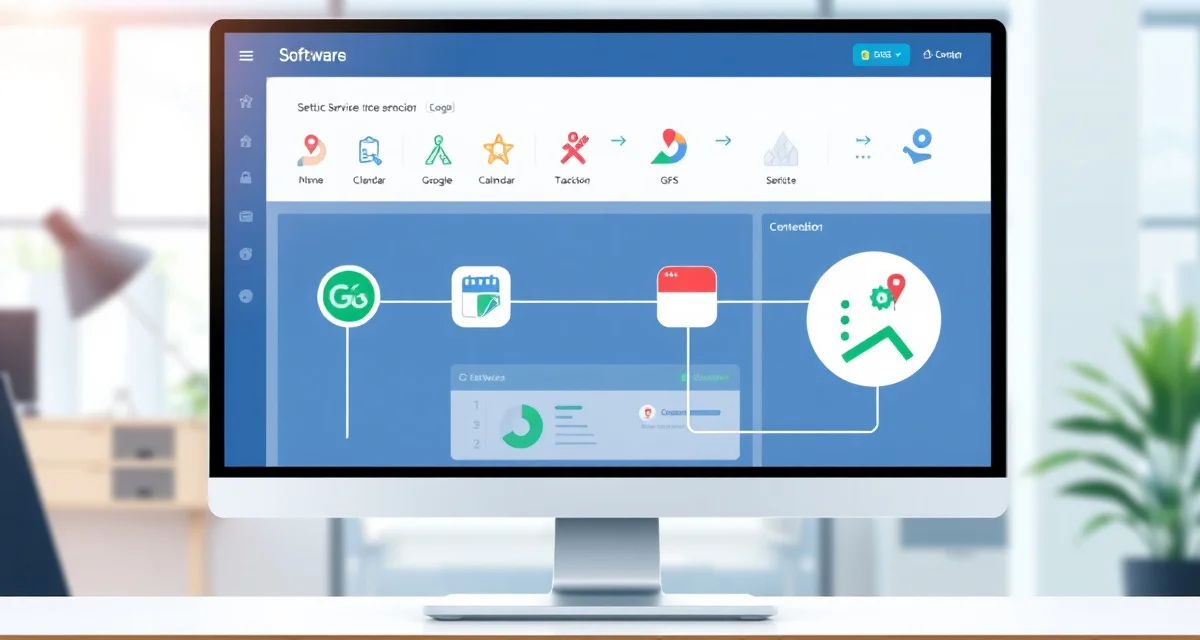
SepticMind integrations sync with QuickBooks for accounting, Google Calendar for scheduling, and major GPS platforms so your core operational tools stay connected without manual bridges.
QuickBooks Integration
The Problem With Manual Accounting Entry
Every completed job creates an invoice. Every invoice needs to post in QuickBooks with the right customer, amount, line items, and payment method. If your dispatcher or office admin is copying this from your job management software to QuickBooks manually, they're spending 2-4 minutes per job on a task that adds zero value and introduces errors every time.
For a company running 20 jobs per day, that's 40-80 minutes of manual data entry daily, entries that are also prone to transposition errors, customer mismatches, and payment misclassification.
How the QuickBooks Integration Works
SepticMind's QuickBooks integration creates a live sync between your job records and your accounting books. When a job is invoiced in SepticMind, the invoice posts automatically to QuickBooks with:
- The correct customer record (matched by name and address)
- Line items for services rendered
- Payment status if field payment was collected
- Tax amounts where applicable
- The invoice date and due date
Payments collected in the field post as received payments against the corresponding invoice in QuickBooks immediately. No manual entry. No end-of-day reconciliation batch.
QuickBooks Online vs QuickBooks Desktop
SepticMind integrates with QuickBooks Online natively. For companies using QuickBooks Desktop, integration is available via the QuickBooks Desktop sync connector. Both versions support the same core invoice and payment sync functionality.
If you're currently using QuickBooks Desktop and considering migrating to QuickBooks Online, SepticMind can support both during a transition period.
Google Calendar Integration
Scheduling Across Multiple Channels
Your technicians probably check their phone calendars as part of their daily routine. When their SepticMind job schedule syncs to Google Calendar, they see upcoming jobs in the same place they see everything else, and the schedule updates in real time when jobs are added, rescheduled, or cancelled.
This also helps for technicians who work across multiple companies or side jobs. Their personal calendar and their SepticMind schedule stay separate but visible together when they need to check availability.
How the Google Calendar Integration Works
When you connect SepticMind to Google Calendar, each technician's scheduled jobs sync as calendar events to their linked Google Calendar. Job details (customer name, address, job type, scheduled time) appear in the event.
Changes made in SepticMind sync to Google Calendar within minutes. If a job is rescheduled or cancelled, the calendar event updates automatically. Technicians don't need to manage their schedule in two places.
Office Scheduling Visibility
For dispatchers who manage scheduling from a Google Workspace environment, a read-only calendar view of all technician schedules can be shared into Google Calendar. This lets dispatchers see job assignments without having to log into SepticMind to check availability.
GPS Fleet Tracking Integration
Why GPS Integration Matters for Septic Companies
GPS tracking integration solves a specific dispatch problem: knowing where trucks actually are, not just where they're scheduled to be. When a job finishes early, a tech can be rerouted to a nearby job without waiting for them to call in. When a truck is running late, the dispatcher can notify the next customer without guessing the ETA.
SepticMind integrates with major fleet GPS platforms to pull real-time vehicle location into the dispatch board. You see each truck on the map alongside its scheduled jobs, so you can optimize in real time.
Supported GPS Platforms
SepticMind's GPS integration is compatible with major fleet tracking platforms commonly used by field service companies. Supported integrations include platforms across the most common hardware vendors used by small to mid-size field service fleets.
Contact SepticMind to confirm current compatibility with your specific GPS platform before setup.
Mileage and Route Data for Job Costing
GPS integration also captures actual route distance for each job. This data feeds into job cost reporting, you can see actual drive distance versus billable service time for every job. For companies analyzing profitability by service zone or customer, this is meaningful data that's impossible to capture without automation.
Additional Integration Capabilities
Email Platforms
SepticMind connects with email providers so customer communication (job confirmations, inspection reports, invoices, payment receipts) can be sent directly from your company's email domain rather than a generic SepticMind email address. This maintains brand consistency in customer-facing communications.
Online Booking Widgets
If your website has an online booking capability, SepticMind can receive those booking requests directly into your dispatch queue. Web-submitted booking requests create draft jobs that your dispatcher confirms and assigns. No manual transcription from a web form.
Payment Processors
SepticMind connects with payment processors for field payment collection. Setup takes under 5 minutes using the guided connection flow in your account settings.
What Happens Without Integration
A non-integrated workflow typically looks like this: SepticMind creates a job. The job gets completed. Someone in the office opens QuickBooks, finds the customer, creates an invoice manually, matches the line items to what the tech reported, and posts the invoice. Then they check whether payment was collected and mark the invoice accordingly.
That's fine for 5 jobs per day. At 20 jobs per day, it's a part-time job for someone on your staff, and a source of billing errors that cost you real money.
| Workflow Step | Without Integration | With QuickBooks Integration |
|---|---|---|
| Invoice creation | Manual entry in QuickBooks | Auto-posted from job record |
| Customer matching | Manual lookup | Auto-matched from existing record |
| Payment recording | Manual update | Auto-posted when collected |
| Reconciliation | End-of-day process | Real-time |
| Error rate | Moderate (human entry) | Near zero |
| Time per job | 2-4 minutes | 0 minutes |
Get Started with SepticMind
The right software for a septic company handles compliance and documentation alongside scheduling and billing. SepticMind is built specifically for septic operations, from county permit tracking to ATU maintenance management. Start a free trial to evaluate it against your workflow.
FAQ
Does SepticMind integrate with QuickBooks Online or QuickBooks Desktop?
SepticMind integrates natively with QuickBooks Online. QuickBooks Desktop integration is available via the QuickBooks Desktop sync connector. Both versions support automatic invoice posting and payment sync. If you currently use QuickBooks Desktop, you can continue to use it through the sync integration. SepticMind's support team can guide you through setup for either version.
Can SepticMind sync job schedules with Google Calendar for technicians?
Yes. When the Google Calendar integration is enabled, each technician's scheduled jobs sync as calendar events to their linked Google Calendar. Events include job details such as customer name, address, job type, and scheduled time. Updates made in SepticMind (including rescheduling and cancellations) sync to Google Calendar automatically. Technicians can view their SepticMind job schedule without logging into the app if they prefer to work from their phone's native calendar.
What GPS fleet tracking platforms does SepticMind integrate with?
SepticMind integrates with major fleet GPS tracking platforms used by field service companies. The integration pulls real-time vehicle location into the SepticMind dispatch board map and captures route distance data for job cost reporting. Contact SepticMind to confirm compatibility with your specific GPS hardware or platform before configuring the integration.
Connect Your Operation
Integration is the difference between software that runs your business and software that sits alongside it. When SepticMind connects with your QuickBooks, your calendars, and your GPS fleet, you get one view of your operation rather than three separate screens.
Start with septic service management software as your hub, then connect your accounting through septic company invoicing software sync. Most companies fully configure their integration stack in under an hour.
Try SepticMind free for 14 days with full integration access included.
What makes SepticMind Integrations: Connect With QuickBooks, Google, and More different from general field service software?
The primary differences are septic-specific features: county permit databases, state inspection report templates formatted for regulatory submission, tank size and system type records that drive service interval calculations, and ATU maintenance contract management. General field service platforms can handle scheduling and invoicing but require manual workarounds for every compliance and documentation task that purpose-built septic software handles automatically.
Is there a free trial available to test the software?
SepticMind offers a free trial period so you can evaluate the platform with your actual workflow before committing. The trial includes access to the permit database, inspection report templates, and scheduling tools. Most companies complete their evaluation within two to three weeks and have a clear picture of how the platform fits their operation before the trial ends.
Try These Free Tools
Sources
- National Onsite Wastewater Recycling Association (NOWRA)
- US EPA Office of Wastewater Management
- NSF International
- Water Environment Federation
- National Environmental Services Center (NESC)