Septic Field Technician App: Complete Jobs Without Calling the Office
By the SepticMind Editorial Team
Techs without a mobile job app call the office an average of 2.8 times per job for missing information. On a day where a tech runs 6 jobs, that's 16-17 interruptions, each one taking several minutes from both the tech and whoever's answering at the office.
TL;DR
- Septic Field Technician App: Complete Jobs Without Calling the Office is designed to address the specific workflow and compliance requirements of septic service operations.
- Purpose-built septic software handles permit tracking, state inspection report templates, and tank data management that generic platforms do not offer.
- Companies managing ATU contracts, multi-county permit portfolios, or real estate inspection volume need software designed around those workflows.
- Mobile access allows field technicians to complete and submit inspection reports before leaving a property.
- Cloud-based platforms ensure records are accessible from any device and backed up automatically.
- Switching costs from generic software are real, so evaluating septic-specific platforms early saves migration pain later.
Companies using field apps for technicians reduce office staff workload by 3 hours per truck per day. That's not 3 hours of sitting around. That's 3 hours of real work that was previously consumed by callbacks, information relay, and manual re-entry of information the tech called in from the field.
Here's what a good septic field technician app actually gives your techs, and how it changes the daily operation.
What Job Information Is Available to Technicians Through the App?
The most common reason techs call the office is missing information. They're on site and need something that wasn't on the job sheet: the tank size, the access code for the gate, the system type, whether a permit was pulled, where the access ports are on a large property, or what was found at the last service visit.
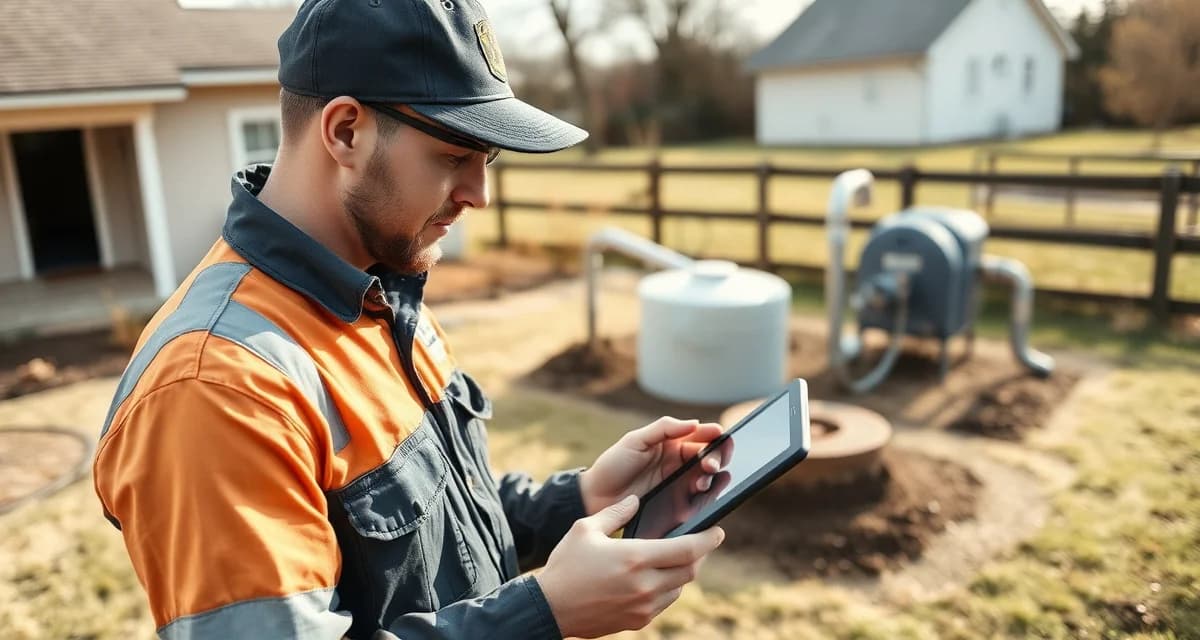
SepticMind's tech app gives every technician full access to tank specs, permit status, inspection forms, and customer history from their phone.
What specifically is in the job record the tech sees:
Customer information. Name, phone number, address, property access notes (gate codes, dogs on property, access restrictions).
System data. Tank size, material, number of compartments, system type, installation year if known, baffle condition from prior visits.
Service history. Every prior service visit with dates, work performed, findings noted, and photos taken. If a tech was on this property three years ago and noted a borderline outlet baffle, the tech arriving today sees that note before the lid is open.
Permit status. Whether a permit has been pulled for this job, permit number, and any permit-specific requirements.
Inspection forms. The full digital inspection checklist for the system type and service type, pre-loaded and ready to complete on site.
Invoicing. The ability to generate and send the invoice when the job is complete, and to collect payment via card reader or digital link.
When all of this is available in the tech's hand before they get out of the truck, the reason to call the office disappears.
Does the App Work Without Cell Signal in Rural Areas?
Twenty-five percent of septic service calls happen in areas with no reliable cellular signal. If your field app requires a live connection to function, you're losing one in four jobs to connectivity gaps. Rural septic companies lose an average of 4 jobs per month to connectivity issues with cloud-only tools.
SepticMind's offline mode stores the full job record locally on the device when the tech downloads their schedule. When signal is absent, the tech works from the locally stored record: viewing job details, completing inspection checklists, taking and attaching photos, adding notes.
When the tech drives back into cellular range, everything syncs. Job completion, inspection findings, photos, and invoice status all update to the platform automatically without any manual sync action from the tech.
This means rural coverage gaps are a non-issue for daily operations.
Can Technicians Complete and Submit Inspection Reports Through the App?
Yes. Techs can complete and submit inspection reports entirely through the mobile app. The workflow:
- Open the inspection job in the app
- Work through the inspection checklist component by component
- Take photos in the app, which attach automatically to the component being inspected
- Select condition ratings for each component from standardized options
- Enter any specific finding notes for conditions that need description
- Review the completed report in preview mode
- Confirm and mark the inspection complete
- The report generates and sends to designated recipients (agent, lender, customer) immediately
The tech doesn't need to return to the office. The tech doesn't need to type anything into a report template later. The report is complete when the job is marked complete, and it's delivered before the tech's truck is back on the road.
This is the change that most dramatically affects inspection capacity. When report generation is no longer a separate multi-hour evening task, the same inspector can complete far more inspections per day.
Beyond Access to Information: Other App Features That Matter
Real-time job status updates. The tech marks "en route," "on site," and "complete," which triggers customer notifications automatically and updates the dispatch board in the office in real time. The dispatcher knows where every truck is relative to the schedule without calling anyone.
Upsell prompts. When system age, observed conditions, or system type warrant a relevant upsell conversation, the app surfaces the prompt. The tech doesn't need to remember what to look for on a 20-year-old tank. The system tells them.
Time tracking. The app records drive start time, arrival time, and job completion time automatically based on status updates. This feeds payroll data without manual timesheet submission.
Photo documentation. Every photo taken in the app is timestamped and attached to the specific job record. The photo library for each customer builds over time, giving future techs visual context for what the system looked like at prior visits.
Who Gets the Most From a Tech App
The tech app benefits vary by role:
New technicians. A new tech on their second week can access the system data and prior service notes that would normally require notable experience to carry in their head. The learning curve on customer history shortens dramatically.
Experienced technicians. Senior techs spend less time managing paperwork and more time on the technical work. The administrative efficiency gain is real and immediate.
Inspectors. The elimination of after-hours report typing is the most notable productivity gain for inspection staff. This is the change that converts inspection capacity from 3-4 per day to 6-8 per day.
For more detail on the technician management side of the platform, the septic technician tracking software guide covers how dispatch and performance data work alongside the field app experience.
Get Started with SepticMind
The right software for a septic company handles compliance and documentation alongside scheduling and billing. SepticMind is built specifically for septic operations, from county permit tracking to ATU maintenance management. Start a free trial to evaluate it against your workflow.
Frequently Asked Questions
What job information is available to technicians through the SepticMind field app?
The field app provides full access to customer contact information and property access notes, complete system data including tank size, material, system type, and installation year, full service history with prior visit findings and photos, permit status for the current job, digital inspection checklists pre-loaded for the system and service type, and invoicing tools including card reader integration for field payment collection. Everything a tech needs to complete a job professionally is in the app before they arrive on site.
Does the tech app work without a cellular signal in rural areas?
Yes. SepticMind's offline mode downloads the full job record to the device when the tech reviews their schedule. In areas with no cell signal, the tech can view all job details, complete inspection checklists, take photos (which attach to the job record locally), add notes, and record job completion. When the device returns to cellular coverage, all offline activity syncs automatically. Rural coverage gaps don't interrupt the workflow or require any manual sync action from the technician.
Can technicians complete and submit inspection reports entirely through the mobile app?
Yes. The full inspection workflow is mobile-native. Techs work through the inspection checklist on site, take photos in the app (which auto-attach to the corresponding component), select condition ratings, add any required notes, and mark the inspection complete. The report generates automatically from the field data and delivers to designated recipients (real estate agent, lender, homeowner) immediately. The tech is done with the report before leaving the driveway. No return to the office and no evening report-typing session is required.
What makes Septic Field Technician App: Complete Jobs Without Calling the Office different from general field service software?
The primary differences are septic-specific features: county permit databases, state inspection report templates formatted for regulatory submission, tank size and system type records that drive service interval calculations, and ATU maintenance contract management. General field service platforms can handle scheduling and invoicing but require manual workarounds for every compliance and documentation task that purpose-built septic software handles automatically.
Is there a free trial available to test the software?
SepticMind offers a free trial period so you can evaluate the platform with your actual workflow before committing. The trial includes access to the permit database, inspection report templates, and scheduling tools. Most companies complete their evaluation within two to three weeks and have a clear picture of how the platform fits their operation before the trial ends.
Try These Free Tools
Sources
- National Onsite Wastewater Recycling Association (NOWRA)
- US EPA Office of Wastewater Management
- National Environmental Services Center (NESC)
- Water Environment Federation
- Occupational Safety and Health Administration (OSHA)