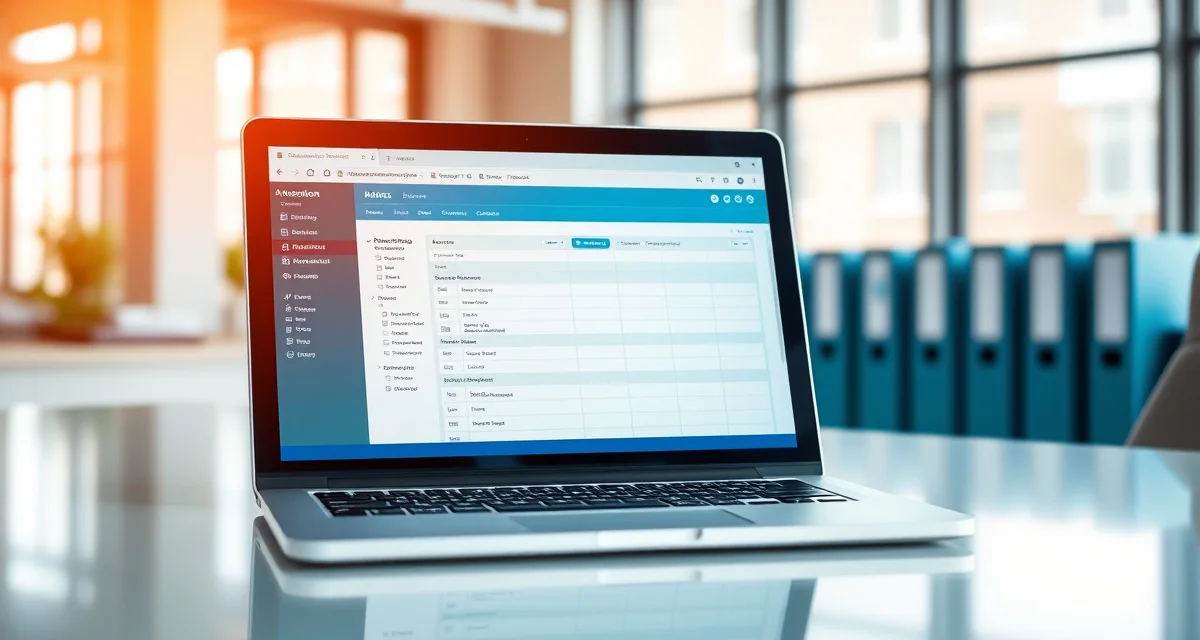
Transitioning From Paper to Digital: A Guide for Septic Companies
By the SepticMind Editorial Team
Going digital reduces administrative time for the average septic company by 6 hours per week. That's time currently spent transcribing handwritten forms, searching for paper records, and filing documents that no one can quickly retrieve when a customer calls.
TL;DR
- Transitioning From Paper to Digital: A Guide for Septic Companies is designed to address the specific workflow and compliance requirements of septic service operations.
- Purpose-built septic software handles permit tracking, state inspection report templates, and tank data management that generic platforms do not offer.
- Companies managing ATU contracts, multi-county permit portfolios, or real estate inspection volume need software designed around those workflows.
- Mobile access allows field technicians to complete and submit inspection reports before leaving a property.
- Cloud-based platforms ensure records are accessible from any device and backed up automatically.
- Switching costs from generic software are real, so evaluating septic-specific platforms early saves migration pain later.
Paper-based companies lose an average of 14% of service records per year to damage or misplacement. That's a compliance risk, a customer service problem, and an operational liability.
If you're ready to make the transition from paper to digital but aren't sure how to do it without losing historical data or disrupting your operation, this guide covers the process step by step.
What "Going Paperless" Actually Means
Paperless doesn't happen all at once. Most septic companies that make the transition successfully do it in phases, starting with the highest-impact workflows and expanding from there.
The goal isn't to eliminate every physical document immediately. It's to move the core operational workflows, scheduling, job records, inspection reports, and customer communication, into a digital system where information is centralized, retrievable, and shareable.
Some documents will still be paper for a while: contracts you haven't yet migrated, historical service records from before the transition, physical permits you're waiting to scan. That's fine. Progress matters more than perfection at the start.
Phase 1: Prioritize What to Digitize First
What paper processes should I digitize first when going paperless?
Start with the processes that cause the most daily friction and carry the most compliance risk.
Job scheduling and dispatch (digitize first): If your schedule lives on a whiteboard or in a paper appointment book, this is where the transition pays off most immediately. Digital scheduling eliminates scheduling conflicts, makes the daily plan visible to everyone, and allows technicians to receive job assignments on their phones.
Inspection reports and service forms (digitize second): This is where paper processes create the most customer-facing problems. Paper inspection reports take 45-60 minutes of office time to produce and have high lender rejection rates. Digital septic inspection forms completed on a tablet at the job site generate professional PDF reports in minutes.
Customer records and service history (digitize third): Getting your customer database into a digital system is foundational for everything else. Maintenance reminders, service history retrieval, and customer communication all depend on having an organized digital customer database.
Permit documentation (digitize fourth): Once your customer records are in the system, linking permit records to customer and property files becomes straightforward.
Financial documents (last, or in parallel): Invoicing and payment records are often already partially digital if you're using QuickBooks or similar. Integration between your field service tool and accounting software handles this automatically.
Phase 2: Transfer Paper Customer Records
How do I transfer years of paper customer records into a digital system?
The good news is that SepticMind's import tools can digitize paper customer records through bulk CSV upload in minutes. Here's the process:
Step 1: Inventory what you have.
Pull all your customer files and categorize them: active customers (serviced in the last 5 years), inactive customers (last service 5-10 years ago), and archived customers (10+ years or records with no service history). Focus on active customers first.
Step 2: Create a spreadsheet.
Build a simple spreadsheet with columns for each piece of information you want to transfer: customer name, service address, mailing address if different, phone number, email, system type, tank size, last service date, and notes. This becomes your import file.
For most companies with 200-500 active customers, a staff member can enter this information in 4-8 hours. Don't let the size of the task become a reason to delay. 500 customers in a spreadsheet is faster than it sounds.
Step 3: Import into SepticMind.
Once your spreadsheet is formatted to match SepticMind's import template, the upload takes a few minutes. All your customer records appear in the system with the information you entered.
Step 4: Add service history as you encounter it.
Rather than trying to manually transcribe years of service history from paper files before going live, consider this: when you look up an existing customer for a new job or reminder call, take 2-3 minutes to enter their recent service history into the system. Over 2-3 months, your most active customers will have their service history digitized through normal workflow.
Step 5: Scan critical historical documents.
Use a phone scanner app (or a physical scanner) to scan and attach important historical documents to customer records. Prioritize: original installation permits, system as-built drawings, and any permits or compliance documents with ongoing relevance.
Phase 3: Set Up Digital Field Workflows
How do I get field technicians comfortable with digital tools?
The hardest part of transitioning to digital isn't the technology. It's changing habits.
Technicians who've carried clipboards for 15 years are not inherently resistant to digital tools. They're resistant to learning new habits that slow them down during the learning curve. The key is making the new tools feel faster, not more complicated, from the first day.
Use a tablet, not a phone, for inspection forms. Forms are easier to fill out on a larger screen. A ruggedized 10-inch tablet is easier to use in the field than a phone.
Demonstrate before deploying. Before handing a technician a tablet and telling them to figure it out, spend 30 minutes walking through a simulated job on the device. Show them how to open a job, complete the checklist, take a photo, and mark the job complete. When they've seen it work, the tablet feels like a tool rather than an obstacle.
Start with one technician. Deploy digital tools to your most tech-comfortable technician first. Let them work out the early questions, develop a field workflow, and serve as a peer resource when others make the transition. Peer training is more effective than top-down instruction for field teams.
Connect digital efficiency to their experience. Technicians who understand that a tablet job completion means the office stops calling them for updates are more motivated to use the system. When a tech marks a job complete on the app, dispatch can see it instantly. The calls asking "where are you on that job?" stop.
Don't abandon them in the first week. Have someone available for questions during the first week of digital field operations. Most early questions are small (how do I attach a photo? what do I do if I need to add a note?), and answering them quickly prevents frustration from hardening into resistance.
Phase 4: Migrate Your Billing to Digital
Invoicing is often partially digital already if you're using QuickBooks. The workflow change in a digital transition is when the invoice gets generated.
On a paper workflow, the technician writes up job notes, returns to the office, and someone generates an invoice from those notes, typically the next day or later. SepticMind generates the invoice when the technician marks the job complete in the field. The customer can receive it by email before the tech has left the driveway.
This matters financially. Same-day invoicing collects payment faster and reduces disputes. A customer who gets an invoice 3 days after service and can't remember the exact conversation about what was included is more likely to dispute the amount than a customer who gets the invoice on-site.
SepticMind's customer management software keeps the invoice linked to the job record, the customer record, and the property record. If a customer calls to ask about an invoice, you can pull the complete job details in seconds.
Phase 5: Build Your Digital Reminder System
One of the highest-value outcomes of going paperless is being able to automate customer maintenance reminders. On a paper system, this requires someone to manually pull records, build a contact list, and reach out to customers individually.
In SepticMind, you set up the reminder rules once. Every customer whose service date falls in the relevant window gets a reminder automatically. No manual list building. No one forgetting to send the reminders during a busy week.
Set up reminder campaigns before you need them. If you're transitioning in January, configure your reminders to go out to customers whose last service was 3 years ago starting in February. Your first automated reminder campaign will demonstrate the ROI of the digital transition faster than any other feature.
Get Started with SepticMind
The right software for a septic company handles compliance and documentation alongside scheduling and billing, not just the basics. SepticMind is built specifically for septic operations, from county permit tracking to ATU maintenance management. Start a free trial to evaluate it against your workflow.
FAQ
How do I transfer years of paper customer records into a digital system?
Build a spreadsheet with your active customer records (name, address, phone, email, system type, last service date) and import it into SepticMind using the bulk CSV upload tool. For most companies with 200-500 active customers, creating the spreadsheet takes 4-8 hours. After import, add historical service details as you encounter individual customers through normal operations rather than trying to transcribe all historical records upfront.
What paper processes should I digitize first when going paperless?
Start with scheduling and dispatch, then inspection reports and service forms, then customer records, then permit documentation. Scheduling gives you immediate operational benefits. Inspection reports eliminate office report assembly time and improve lender acceptance rates. Customer records are the foundation that enables everything else. Permit documentation links to your customer records once those are established.
How do I get field technicians comfortable with digital tools?
Deploy on tablets rather than phones, demonstrate the workflow before expecting technicians to use it independently, start with your most tech-comfortable technician before rolling out to the whole team, and make sure technicians understand how the digital workflow benefits them specifically (less office callbacks, faster job completion recognition). The first week is the hardest. Keep someone available for questions.
What makes Transitioning From Paper to Digital: A Guide for Septic Companies different from general field service software?
The primary differences are septic-specific features: county permit databases, state inspection report templates formatted for regulatory submission, tank size and system type records that drive service interval calculations, and ATU maintenance contract management. General field service platforms can handle scheduling and invoicing but require manual workarounds for every compliance and documentation task that purpose-built septic software handles automatically.
Is there a free trial available to test the software?
SepticMind offers a free trial period so you can evaluate the platform with your actual workflow before committing. The trial includes access to the permit database, inspection report templates, and scheduling tools. Most companies complete their evaluation within two to three weeks and have a clear picture of how the platform fits their operation before the trial ends.
Try These Free Tools
Sources
- National Onsite Wastewater Recycling Association (NOWRA)
- US EPA Office of Wastewater Management
- NSF International
- Water Environment Federation
- National Environmental Services Center (NESC)