Septic Customer Management Software Built Around the Tank, Not Just the Name
By the SepticMind Editorial Team
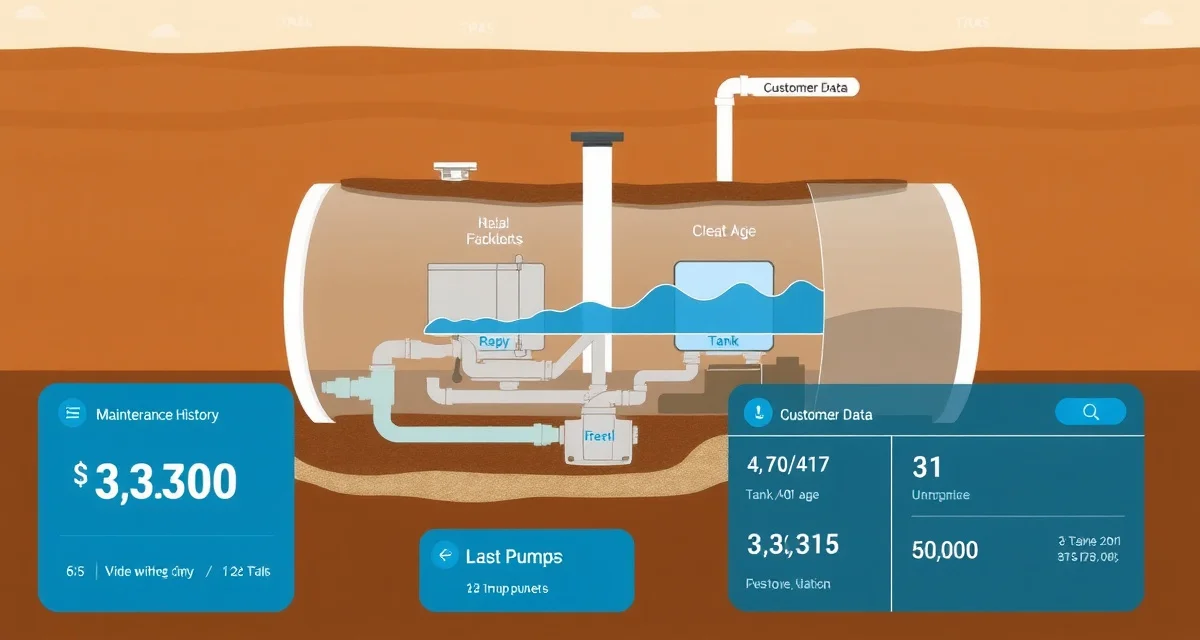
In most trades, a customer record is a name, an address, and a phone number. In septic work, a customer record is a 1,250-gallon fiberglass tank installed in 1987, last pumped 26 months ago, 4-bedroom house on a gravity-fed system with a problematic access cover in the back corner of the yard, a real estate inspection coming up in the spring, and a standing note that the homeowner needs a call before you arrive because of the dog.
TL;DR
- Septic Customer Management Software Built Around the Tank, Not Just the Name is designed to address the specific workflow and compliance requirements of septic service operations.
- Purpose-built septic software handles permit tracking, state inspection report templates, and tank data management that generic platforms do not offer.
- Companies managing ATU contracts, multi-county permit portfolios, or real estate inspection volume need software designed around those workflows.
- Mobile access allows field technicians to complete and submit inspection reports before leaving a property.
- Cloud-based platforms ensure records are accessible from any device and backed up automatically.
- Switching costs from generic software are real, so evaluating septic-specific platforms early saves migration pain later.
That context is what your most experienced dispatcher carries in their head right now. When they retire or quit, it walks out the door with them.
SepticMind stores everything about every account, the tank, the system, the service history, the photos, the permits, the compliance status, and the customer preferences, in a searchable record that your whole team can access from any device.
What a Real Septic Customer Record Looks Like
A complete customer record in SepticMind contains:
Property information:
- Address with GPS coordinates
- Tank capacity, material, and age
- System type (conventional gravity, mound, ATU, drip irrigation, sand filter, cesspool)
- Number of bedrooms and current household size
- Drain field location and known issues
- Tank lid and cleanout GPS pin locations
Service history:
- Every pump-out with date, gallons removed, technician, and notes
- Inspection reports with photos attached
- Repair history with permit numbers
- ATU maintenance records with chlorine levels and aerator status
- Grease trap service records
Compliance status:
- Active permits and expiration dates
- State inspection schedule and last inspection date
- ATU service contract status
- Any violations or pending corrective actions
Customer preferences:
- Preferred contact method (text, email, call)
- Service window preferences
- Preferred technician
- Gate codes, access notes, dogs, lockboxes
- Billing preferences
Financial history:
- Invoice history, payment status, outstanding balances
- Service agreement terms
- Pricing notes
When your dispatcher takes a call from this customer, all of this is on screen in 10 seconds.
Why This Matters for Your Operation
It Protects Your Revenue When People Leave
Owner-operators who run 3-truck companies often have one dispatcher who's been there 8 years. She knows every customer. She knows which ones always reschedule, which ones have a gate code that changes every spring, which ones have a tank that's undersized for their house and will need pumping more often than the formula suggests.
When she leaves, and everyone leaves eventually, that knowledge needs to be somewhere other than her memory. SepticMind is where it lives.
It Gives New Techs Real Field Context
A new tech sent to an address with a complete SepticMind record isn't guessing. They know the tank size before they unroll the hose. They know the lid is in the back corner behind the AC unit. They know the last tech's note says "roots encroaching on east baffle, flag for inspection." They show up looking prepared and competent, which is how you build repeat customers.
It Drives Proactive Scheduling
The service history in every customer record feeds SepticMind's AI prediction engine. The system knows when service is actually due, not based on a generic calendar reminder, but based on this specific tank, this household size, and how quickly it's historically filled. A 1,000-gallon tank on a 5-person household pumped last year is closer to needing service than a 2,000-gallon tank on a couple pumped 18 months ago.
When SepticMind generates your 90-day schedule, it's building from this data for every account.
It Handles Real Estate Season
Spring real estate season hits septic companies hard. Agents call all at once. They need inspection appointments in days, not weeks. They need reports in a specific format by a specific date.
With complete customer records, your team can pull up the service history for any address in seconds. If you serviced that property before, you've got tank specs, system type, photos, and prior inspection reports already on file. The inspection appointment takes less time because you're not starting from scratch.
Customer Record Features in Detail
GPS Tank Location
When a tech maps the tank lid location on their first visit, that GPS pin is saved to the customer record permanently. Every tech after that opens the record, taps the location pin, and walks straight to the lid. No more 20-minute searches for buried lids on properties you haven't serviced in four years.
For properties with multiple components, pump chamber, distribution box, cleanouts, each component gets its own GPS pin.
Photo Documentation
Techs attach photos directly to the service record from their phone. Common documentation:
- Tank lid condition
- Effluent filter status
- Inlet and outlet baffles
- Drain field surface
- Pump float switches (ATU)
- Grease trap contents and condition
Photos are timestamped and tied to the specific service record. If a customer disputes something about their system condition, you've got photo documentation of exactly what your tech found on that date.
Service Notes and Flags
Techs add field notes to every job. SepticMind surfaces the most recent notes prominently in the job record so the next tech sees them before they start.
Common note types:
- System condition concerns ("inlet baffle cracked, recommend inspection")
- Access issues ("need to bring a pry bar for this lid")
- Customer notes ("pays by check, leave invoice in mailbox")
- Follow-up required ("ATU aerator showing wear, schedule maintenance check")
You can also flag accounts for follow-up, accounts that need a repair estimate, accounts with overdue permits, accounts that should be moved to a maintenance contract.
Service Agreements and Contracts
Store service agreement terms in the customer record. SepticMind tracks contract start and end dates, service intervals required under the contract, and whether each scheduled service has been completed. For ATU maintenance contracts, which are often required by state regulation, the contract documentation and compliance history are in the same record as the service visits.
Renewal alerts fire 90 days before a contract expires so you're not losing recurring revenue because a renewal slipped through the cracks.
Managing a Large Customer Base
For a 3-truck operation running 400–600 active accounts, the customer database needs to be searchable and actionable, not just a list.
SepticMind lets you filter your customer list by:
- Last service date
- Tank size or system type
- Service due in the next 30/60/90 days
- Permit expiration
- Open follow-up flags
- Service agreement status
- Outstanding balance
- Geographic zone or county
Run a filter for "service due in next 60 days + no appointment scheduled" and you've got your outreach list for this week's reminder calls. Run a filter for "ATU maintenance contract expiring in 90 days" and you've got your renewal list.
These aren't reports you have to build manually. They're built into the customer management module.
Importing Your Existing Records
Most septic companies start SepticMind with some combination of QuickBooks data, a spreadsheet, and paper records. SepticMind's import tools handle all three.
From QuickBooks: Export your customer list. SepticMind maps the fields automatically, name, address, contact info, billing history.
From spreadsheet: Use the CSV template to structure your existing data. Map any fields that don't match the template.
From paper records: Techs update records from the field on their first visit to each account. Within 3–4 months of normal operations, most of your records are complete.
For large archives of paper inspection reports, SepticMind's team can help with bulk scanning and digitization. It's not glamorous work, but having 10 years of service history in the system pays off the first time you need to dispute a failed system claim.
Get Started with SepticMind
The right software for a septic company handles compliance and documentation alongside scheduling and billing. SepticMind is built specifically for septic operations, from county permit tracking to ATU maintenance management. Start a free trial to evaluate it against your workflow.
FAQ
Can I import customer records from QuickBooks or a spreadsheet?
Yes. SepticMind accepts imports from QuickBooks, Excel, CSV, and most field service software exports. The import tool maps your existing fields to SepticMind's data structure and flags any records that need attention, missing tank sizes, duplicate addresses, or incomplete contact information. For most companies, the initial import takes 1–2 hours of setup time. Your customer list is live in SepticMind the same day.
How do I track ATU maintenance contracts for compliance?
ATU maintenance contracts have their own record type in SepticMind. You store the contract terms, the required service interval, and the regulating agency's requirements. SepticMind automatically schedules each required maintenance visit, tracks completion, generates the maintenance report in your state's required format, and flags overdue visits. Most states that require ATU maintenance contracts (Florida, Texas, and others) require documentation of each service visit. SepticMind keeps that documentation current and exportable for compliance audits.
What happens to customer records when a property changes hands?
When a property sells, you can update the contact information on the existing record without losing the service history. The tank data, service history, photos, and permit records stay with the property address. You add the new owner's contact info and preferences. If the new owner calls you for service, their record already has the full history of the system you've been servicing, tank capacity, age, last pump date, any known issues. That continuity is a selling point when you're introducing yourself to a new homeowner.
What makes Septic Customer Management Software Built Around the Tank, Not Just the Name different from general field service software?
The primary differences are septic-specific features: county permit databases, state inspection report templates formatted for regulatory submission, tank size and system type records that drive service interval calculations, and ATU maintenance contract management. General field service platforms can handle scheduling and invoicing but require manual workarounds for every compliance and documentation task that purpose-built septic software handles automatically.
Is there a free trial available to test the software?
SepticMind offers a free trial period so you can evaluate the platform with your actual workflow before committing. The trial includes access to the permit database, inspection report templates, and scheduling tools. Most companies complete their evaluation within two to three weeks and have a clear picture of how the platform fits their operation before the trial ends.
Try These Free Tools
Sources
- National Onsite Wastewater Recycling Association (NOWRA)
- US EPA Office of Wastewater Management
- National Environmental Services Center (NESC)
- Water Environment Federation
- Occupational Safety and Health Administration (OSHA)