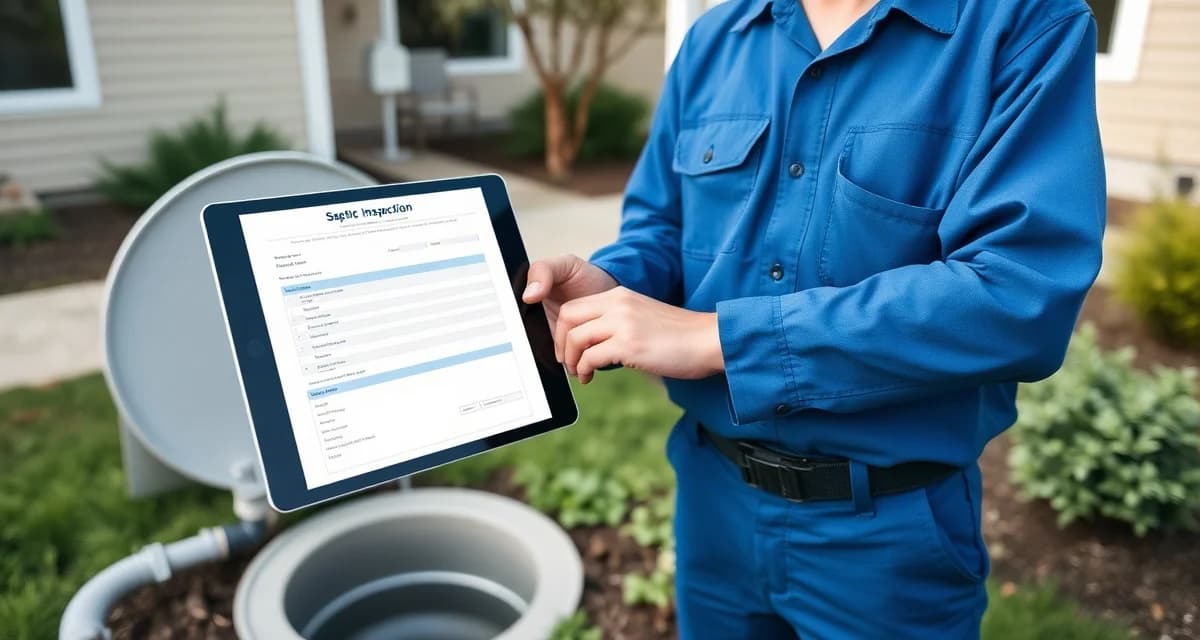
Digital Septic Inspection Forms: Replace Paper With Field-Ready Tools
By the SepticMind Editorial Team
There's a stack of inspection forms in a lot of service trucks right now that are half-filled out, smeared with something that isn't mud but might be, and technically a compliance record. The tech knows what he found at the property. The office will figure out the rest when he gets back.
TL;DR
- Digital inspection forms eliminate transcription errors, reduce how to generate inspection reports digitally from days to minutes, and create searchable records tied to property addresses.
- State-formatted digital templates ensure reports meet regulatory requirements without manual formatting after the visit.
- Photo documentation captured on-site and attached directly to the inspection record provides defensible evidence if a report is disputed.
- Field completion before leaving the property catches missing required fields that paper forms often leave blank until office data entry.
- Digital records stored by address automatically surface complete service history when properties change hands.
- Companies using digital inspection forms report significant reductions in callbacks from real estate agents and county offices requesting information already captured on-site.
That's not a knock on the tech. That's just what paper inspection forms do to your workflow. They slow everything down, they're hard to read, they get lost, and paper form users lose an average of 3 inspection reports per month to damage or misplacement, and they create a bottleneck at the end of every day where someone has to translate field notes into something a customer or lender can actually use.
Switching to digital forms saves techs an average of 2.5 hours per workday. Over a week, that's a full shift of productive time recovered.
Here's how to make the switch cleanly.
Step 1: Audit What Your Current Forms Actually Capture
Before you replace your paper forms with a digital version, figure out whether your paper forms are capturing everything they should. A lot of companies have inspection forms that were built years ago and never updated to reflect current regulatory requirements or customer expectations.
Go through your current paper form and check:
- Required fields by state, Does your form capture everything your state's inspection program requires? If you work in Massachusetts, does your form follow Title 5 structure? If you work in North Carolina, does it address the DEH-EHS required fields?
- Photo documentation points, Does the form prompt for photos? At what stages? Or is photo documentation an afterthought?
- System specifications, Does the form have fields for tank size, material, compartment count, baffle measurements, distribution box condition?
- Signature capture, How is the property owner or customer acknowledging the inspection? Is there a signature field?
- Follow-up items, Is there a section for documenting recommended repairs, follow-up inspections, or immediate concerns?
If your current paper form doesn't cover all of these, going digital is also your opportunity to upgrade the form's content, not just the format.
Step 2: Choose Forms That Work Without Internet Access
This is the part that causes the most headaches in digital form transitions for field service companies. Most septic work happens at properties with no WiFi. Cell service can be marginal in rural areas. If your digital forms require a live internet connection to load or save, you're going to have techs staring at a blank screen in front of customers.
The right field inspection app works offline. Forms load when the app opens, even without signal. Data entered in the field saves locally on the device and syncs when the device reconnects, whether that's at the end of the driveway, at the shop, or at home.
Before committing to any digital form platform, test it specifically in low or no signal conditions. If it doesn't work offline, it doesn't work for this industry.
Step 3: Set Up State-Specific Templates Before Rollout
One of the advantages of digital forms over paper is that you can maintain multiple templates without having to stock different form pads for different states or counties. But this advantage only exists if your templates are actually set up correctly.
Before you put digital forms in front of a tech, configure templates for every state and county type you serve. For each template, verify:
- All regulatory required fields are present and labeled correctly
- Photo capture points are built into the form flow (not bolted on at the end)
- Any required findings language is available as a pick-list or pre-filled text (to ensure consistency)
- The output format, the PDF the customer and lender receive, matches what those audiences expect
SepticMind includes pre-built state-specific inspection templates for all 50 states. When a tech opens an inspection for a property in Massachusetts, the Title 5 template loads automatically. For North Carolina properties, the DEH-EHS format loads. You don't have to build or maintain these templates, they're kept current as state requirements change.
Step 4: Configure Photo Documentation Requirements
A digital form without structured photo documentation is just a paper form on a screen. The power of digital inspection forms is embedding photos directly in the record, tied to specific findings, with automatic GPS coordinates and timestamps.
Set up your photo documentation requirements before rollout:
Mandatory photos for every inspection:
- Tank access (lids open, access risers if present)
- Inlet baffle condition
- Outlet baffle condition
- Sludge and scum depth measurement (tape or probe in the tank, before pumping)
- Distribution box (if accessible)
- Drainfield area (looking for surfacing effluent, wet spots, lush vegetation)
- Any component with visible damage or deterioration
Additional photos for specific system types:
- ATU: aeration chamber, blower unit, pump chamber
- Mound systems: inspection ports, surface of mound
- Drip irrigation: drip field condition, control panel
Make these required fields, not optional. Techs who know a photo is required by the form will take it. Techs who know a photo is "nice to have" will skip it when they're running behind.
Step 5: Configure Tank Spec Auto-Population
One of the biggest time savers in a well-configured digital inspection system is having tank specifications pre-populated from the customer record before the tech arrives on-site.
If a customer has been with you before, your system should already know:
- Tank size and material
- Number of compartments
- Last service date
- Pump type (if applicable)
- Access riser locations
When the tech opens the inspection form, these fields should already be filled in from the property record, not blank fields the tech has to fill from memory or by calling the office. The tech verifies the information is still accurate, adds any changes, and moves on.
Digital forms auto-populate tank specs from the property database before the tech arrives. For new properties, the tech fills in the specs once and they're stored for every future visit.
Step 6: Train Techs on the App, Not the Form
Here's where a lot of digital form transitions fail: they train techs on how to fill out the form without training them on how to use the app that hosts the form.
Your techs need to know:
- How to find a job assignment in the app
- How to open an inspection form for a specific job
- How to take and attach photos to specific form fields
- How to capture signatures
- How to submit the completed form (and what happens if they don't have signal)
- What to do if they make an error after submission
Budget time for hands-on training, not just a manual. Give each tech a test job to complete before they go live. Have them submit a practice inspection and review the output PDF with them so they understand what the customer and lender will receive.
Get Started with SepticMind
Paper inspection forms create delays, transcription errors, and missing-field problems that slow closings and trigger regulatory callbacks. SepticMind's digital inspection forms are pre-formatted for your state, capture photos on-site, and generate a complete report before your technician leaves the driveway. See how digital inspections work in the platform.
FAQ
What data should a complete digital septic inspection form capture?
A complete inspection form should capture: property and system identification (address, tank size, material, compartment count, system type, estimated age), physical condition (inlet and outlet baffle condition, sludge and scum depths, tank structural integrity, distribution box condition), drainfield visual assessment, evidence of system failure or stress, all pump and control panel readings for ATUs and pump systems, embedded photos at each key inspection point, inspector certification information, and a clear pass/fail/conditional finding with supporting notes. For real estate inspections, it should also include loan type, buyer and seller identification, and any specific findings language required by the lender.
Can digital forms work without an internet connection?
They must be able to, and the right field inspection software does. Septic work happens in rural areas and on properties with no WiFi. A digital inspection app that requires a live internet connection to function is not suitable for field use. Look for apps that cache forms locally on the device, save data locally when offline, and sync automatically when the device reconnects to a network. SepticMind's mobile app is fully functional offline. Techs can complete entire inspections without a signal and the records sync when they're back in range.
How do digital forms handle signature collection from property owners?
Digital inspection forms capture signatures on the mobile device screen. The property owner or authorized representative signs directly on the device using a finger or stylus. The signature is timestamped and embedded in the inspection record along with the signer's name and role. For remote transactions where the property owner isn't present, most platforms support email signature requests that link to a secure signing page. The signed record is stored in the job file and included in the PDF report automatically.
Do digital inspection forms satisfy state regulatory requirements for submitted reports?
Yes, in all 50 states digital inspection reports are accepted by regulatory agencies when they contain the required information and the inspector's credentials. Most states now accept electronic submissions directly, and many prefer or require them. The key requirement is that the digital form captures all fields required by the state format. Purpose-built septic software uses state-specific templates that match current regulatory requirements.
How do digital inspection forms handle inspector signatures and authentication?
Digital forms use electronic signature capture, where the inspector signs on a touchscreen device, or typed attestation with credential number and timestamp. Both methods are legally valid under the Electronic Signatures in Global and National Commerce Act (E-SIGN). Some states have specific requirements for electronic signatures on inspection reports; check your state's requirements. Most purpose-built inspection platforms capture inspector name, credential number, inspection date and time, and GPS location as metadata embedded in the report.
Try These Free Tools
Sources
- National Onsite Wastewater Recycling Association (NOWRA)
- US EPA Office of Wastewater Management
- NSF International
- American Society of Home Inspectors (ASHI)
- Water Environment Federation