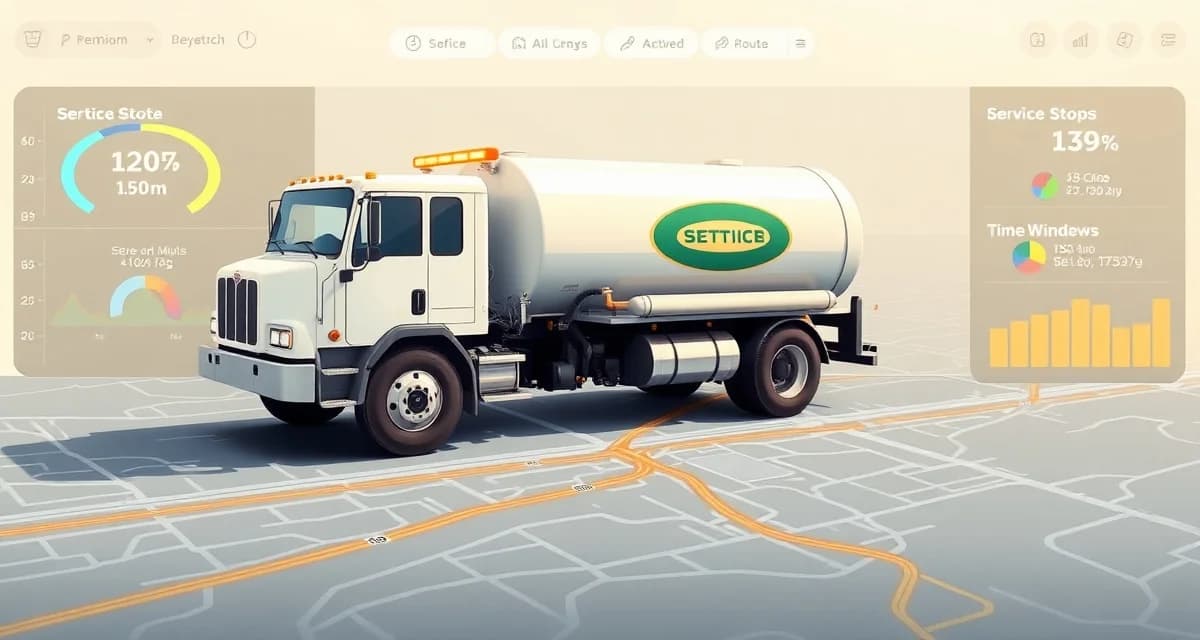
Septic Pumping Route Planning Software: Build Better Routes Daily
By the SepticMind Editorial Team
Route planning for septic pumping isn't the same problem as delivering packages. A pump truck visit takes 45 minutes to two hours depending on tank size, access difficulty, and whether anything unexpected comes up. Job duration varies widely, and getting the sequence wrong doesn't just waste fuel, it collapses your daily capacity.
TL;DR
- Septic Pumping Route Planning Software: Build Better Routes Daily is designed to address the specific workflow and compliance requirements of septic service operations.
- Purpose-built septic software handles permit tracking, state inspection report templates, and tank data management that generic platforms do not offer.
- Companies managing ATU contracts, multi-county permit portfolios, or real estate inspection volume need software designed around those workflows.
- Mobile access allows field technicians to complete and submit inspection reports before leaving a property.
- Cloud-based platforms ensure records are accessible from any device and backed up automatically.
- Switching costs from generic software are real, so evaluating septic-specific platforms early saves migration pain later.
Most companies are still planning routes manually. That takes about 45 minutes per day and still produces routes that leave trucks doubling back, crossing over each other, or finishing midday when there was capacity for two more jobs.
Why Manual Route Planning Fails
The core problem with manual route planning is that it optimizes for the planner's mental model, not the actual math. When your dispatcher builds tomorrow's routes, they're working from a mental map and a list of jobs. They do a reasonable job. But "reasonable" for a 10-truck fleet means a lot of extra miles.
Companies managing routes manually average 34 miles of excess driving per truck per day. That's fuel cost, that's truck wear, and that's time. For a truck that earns $150 to $200 per hour in billable work, excess drive time is billable capacity going out the exhaust.
Optimized daily route planning adds 2 to 3 jobs per truck per day for the average septic company. If your average job ticket is $200, that's $400 to $600 in additional daily revenue per truck, without hiring anyone or buying equipment.
SepticMind builds optimized routes in under 60 seconds, accounting for tank size, job type duration, and geographic clustering.
What Route Planning Software Actually Does
Good route planning software isn't just a GPS that tells drivers where to go. It starts earlier, in the morning when the dispatcher is building the day's schedule.
The software looks at all of the jobs on the board and asks: given where these jobs are located, how long each one will take, and what time windows each customer needs, what sequence minimizes total drive time while maximizing job count?
Then it builds that sequence, assigns jobs to specific trucks, and sends the planned route to each tech's mobile app. The dispatcher doesn't have to manually drag and drop jobs onto a map for an hour. They review the suggested route, make any necessary adjustments, and confirm.
SepticMind's route optimization software handles this automatically. When jobs are on the schedule, building the optimized route takes less than a minute.
Job Duration Is the Variable Most Tools Get Wrong
Many routing tools assume all jobs take the same amount of time, which makes the route look efficient on a map but falls apart in practice. Pumping a 1,000-gallon tank at a single-family home is a 40-minute job. Servicing a 3,000-gallon commercial tank with restricted access is two hours.
If your route planner treats those as equal, your afternoon jobs are either being double-booked or there's hours of unused capacity that didn't show up in the plan.
SepticMind accounts for job type and tank size when calculating duration estimates. That means the route it builds reflects what your trucks can actually complete in a day, not an optimistic map that ignores the work itself.
Handling Fixed Time Windows
Some customers need service at specific times. A restaurant or commercial property with limited access might need service before 7am. A homeowner might have a window from noon to 2pm. A real estate inspection has a buyer-imposed deadline.
Route planning software that ignores time windows creates customer complaints and missed appointments. The right tool lets you set hard windows for jobs that need them and works those constraints into the overall route before it sequences everything else.
In SepticMind, you can lock specific customers to required time windows and the routing algorithm builds around those constraints. Jobs without fixed windows fill in around the hard commitments in the most efficient sequence.
Emergency Jobs and Same-Day Additions
Routes don't stay fixed all day. Emergency calls come in. Jobs run long. A tech calls in sick and you need to redistribute the load.
This is where paper-based and whiteboard-based dispatch falls apart. When something changes, the whole board needs to be rebuilt manually, and someone has to call every driver to update them.
SepticMind's dispatch management software handles route changes dynamically. When an emergency job comes in, you add it to the schedule and the system recalculates the affected truck's route and pushes the update to the tech's app. No phone calls, no confusion about who has the new job.
Multi-Truck Route Coordination
For companies running five or more trucks, the optimization problem gets exponentially more complex. Which truck should handle which jobs? Does it make sense to shift a job from truck 3's route to truck 5's if truck 5 is finishing a job two miles away?
Manual dispatchers can't hold this much information simultaneously. The coordination decisions they make are reasonable but not optimal, and the gap between "reasonable" and "optimal" adds up fast.
With SepticMind, the routing logic looks across all trucks simultaneously. It can identify that the job you were planning to send Truck 3 to tomorrow morning would be better handled by Truck 7, who's already scheduled nearby, and that moving it frees up Truck 3 to take two additional jobs in the afternoon. That kind of cross-fleet optimization simply isn't possible with a whiteboard.
The Fuel Math
Fuel savings is the number that usually gets attention in route optimization discussions. And the numbers are real. A 10-truck fleet saves an average of $22,000 per year in fuel with optimized routing, based on eliminating the 34 excess daily miles per truck at current diesel prices.
But fuel is just the most visible piece. Add in reduced truck wear, more jobs completed per day without added labor, and the reduced stress on your dispatcher, and the ROI on route planning software is substantial at any fleet size.
Get Started with SepticMind
The right software for a septic company handles compliance and documentation alongside scheduling and billing, not just the basics. SepticMind is built specifically for septic operations, from county permit tracking to ATU maintenance management. Start a free trial to evaluate it against your workflow.
Frequently Asked Questions
How does septic route planning software account for different job durations?
SepticMind uses job type and tank size to estimate duration for each job in the schedule. Pump-outs, inspections, and service calls have different average completion times, and larger tanks take longer than smaller ones. The route planner uses these estimates to build a daily schedule that reflects actual capacity rather than assuming every job takes the same time.
Can I lock certain customers to specific time windows in the route plan?
Yes. SepticMind lets you assign required time windows to specific jobs. The routing algorithm treats those as fixed constraints and builds the rest of the route around them. Customers with open availability fill in the most efficient positions around any locked appointments.
Does route planning software work for both scheduled and emergency jobs?
Yes. Scheduled jobs build the foundation of the day's routes. When an emergency job comes in, it's added to the schedule and the system recalculates the affected route automatically. The updated route pushes to the technician's mobile app without requiring manual dispatcher calls.
What makes Septic Pumping Route Planning Software: Build Better Routes Daily different from general field service software?
The primary differences are septic-specific features: county permit databases, state inspection report templates formatted for regulatory submission, tank size and system type records that drive service interval calculations, and ATU maintenance contract management. General field service platforms can handle scheduling and invoicing but require manual workarounds for every compliance and documentation task that purpose-built septic software handles automatically.
Is there a free trial available to test the software?
SepticMind offers a free trial period so you can evaluate the platform with your actual workflow before committing. The trial includes access to the permit database, inspection report templates, and scheduling tools. Most companies complete their evaluation within two to three weeks and have a clear picture of how the platform fits their operation before the trial ends.
Try These Free Tools
Sources
- National Onsite Wastewater Recycling Association (NOWRA)
- US EPA Office of Wastewater Management
- NSF International
- Water Environment Federation
- National Environmental Services Center (NESC)