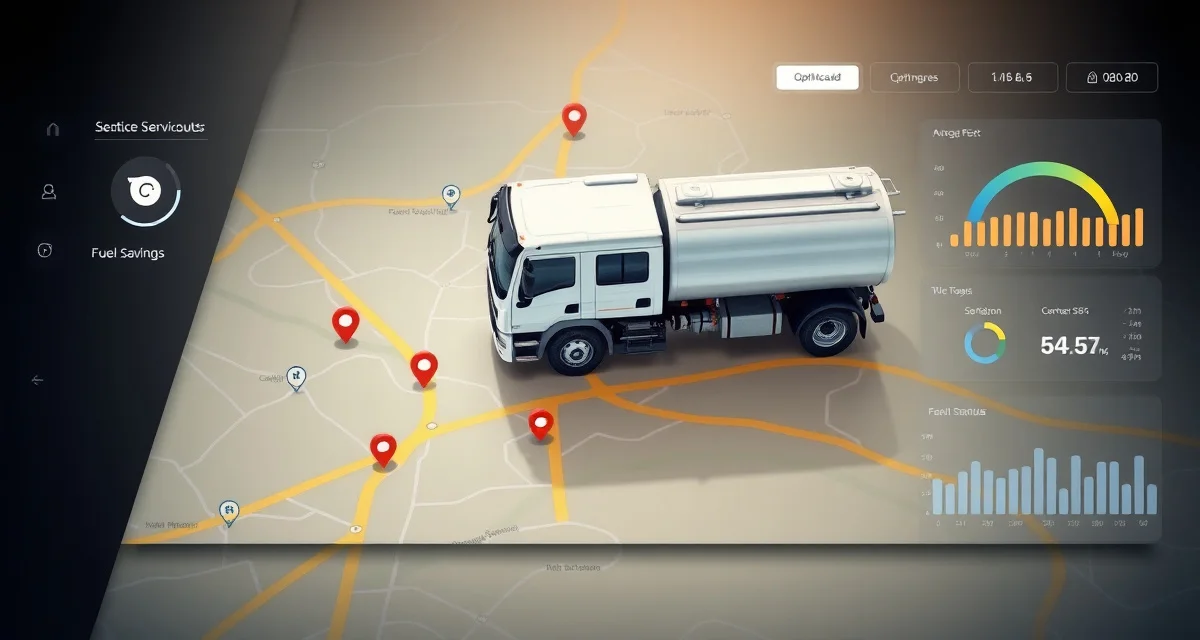
Septic Route Optimization Software That Cuts Drive Time
By the SepticMind Editorial Team
Fuel is the second-largest operating cost for septic companies after labor. Most owner-operators know this in their gut, they watch diesel prices every week and calculate margins in their heads after every route. What's harder to see is how much time and fuel is being wasted on inefficient routing that nobody designed.
TL;DR
- Septic Route Optimization Software That Cuts Drive Time is designed to address the specific workflow and compliance requirements of septic service operations.
- Purpose-built septic software handles permit tracking, state inspection report templates, and tank data management that generic platforms do not offer.
- Companies managing ATU contracts, multi-county permit portfolios, or real estate inspection volume need software designed around those workflows.
- Mobile access allows field technicians to complete and submit inspection reports before leaving a property.
- Cloud-based platforms ensure records are accessible from any device and backed up automatically.
- Switching costs from generic software are real, so evaluating septic-specific platforms early saves migration pain later.
Routes built by a dispatcher in the morning, from memory and a paper map, aren't optimized. They're educated guesses. A good dispatcher builds decent routes. But decent isn't the same as best, and for a company running 3–5 trucks, the gap between decent and best routing is real money every single day.
FieldPulse offers basic routing but ignores septic-specific job duration variables. It treats a 45-minute ATU maintenance call the same as a 20-minute tank pump. That matters when you're trying to fit 9 jobs into an 8-hour day on rural county roads.
SepticMind's route optimization is built for septic work specifically, it knows your job types, your tank sizes, your certified techs, and your customers' service windows. It builds routes that reflect how the day actually works in the field, not how it looks on a simple map.
Why Route Optimization Matters More for Septic Than Other Trades
Job Duration Varies Dramatically
An HVAC company mostly dispatches for service calls and tune-ups, the time variance between jobs is manageable. Septic job durations swing hard:
- 750-gallon residential pump: 20–30 minutes on site
- 1,500-gallon residential pump: 35–50 minutes on site
- Commercial grease trap: 60–90 minutes
- ATU maintenance visit: 45–60 minutes including inspection, chlorine check, and report
- Real estate inspection (Title 5 equivalent): 90–120 minutes including documentation
- Failed system assessment: 2–4 hours
If you're plugging a 90-minute real estate inspection into a slot you budgeted for a 30-minute pump, the whole afternoon shifts. Route optimization that doesn't account for job type duration gets the day wrong from the first deviation.
Rural Roads Don't Work Like Urban Maps
Google Maps underestimates rural drive times. It assumes paved roads, standard traffic speeds, and simple turns. A septic route in western North Carolina or rural Missouri has unpaved county roads, low-bridge restrictions for vacuum trucks, seasonal mud conditions in spring, and one-lane bridges. The actual drive time between jobs can be 40–60% longer than the map suggests.
SepticMind lets you configure road restrictions and average speed adjustments by zone, so the time estimates in your schedule match what techs actually experience.
Vacuum Truck Capacity Limits Your Route Length
You can't just stack jobs indefinitely. A vacuum truck running 3,500 gallons of capacity fills up. Once it's full, the tech is done until they dump, which means a trip to the nearest approved disposal site, which may be 15–30 miles away. Route optimization that doesn't account for vacuum tank capacity will book a route that requires two dump trips in the middle of the day, breaking the route's efficiency entirely.
SepticMind tracks estimated gallons per job and flags routes where vacuum capacity would be exceeded before a natural dump trip can be worked in.
Not Every Tech Can Run Every Job
If your route optimization assigns an ATU maintenance call to a tech without an active aerobic system operator license, you've created a compliance problem that wastes everyone's time. The route has to be rebuilt on the fly. SepticMind factors technician certifications into routing before the day starts.
How SepticMind Route Optimization Works
Building Tomorrow's Routes Tonight
Route optimization in SepticMind runs the night before. Here's the process:
- All scheduled jobs for the next day are loaded automatically from the service calendar
- New bookings that came in during the day are added to the queue
- SepticMind assigns jobs to trucks based on your zone assignments, tech certifications, and truck capacity
- The system calculates the optimal sequence for each truck, minimizing total drive time while respecting service windows, job durations, and vacuum tank limits
- Routes display on the dispatch board and are pushed to technicians' mobile apps
Your dispatcher reviews the routes each morning, makes any manual adjustments needed, and confirms. The whole review process takes 10–15 minutes instead of an hour of manual planning.
Real-Time Rerouting During the Day
Routes don't survive contact with reality unchanged. A job runs long. A tech calls out. An emergency call comes in from a regular customer. SepticMind recalculates affected routes in real time:
- When a job is marked complete, the system updates ETAs for all remaining jobs on that truck's route
- When a new emergency job is added, the system finds the best insertion point in the nearest truck's day without blowing up the whole schedule
- When a job is cancelled, the system identifies whether there's an unscheduled job nearby that could fill the slot
Dispatchers see these suggestions on the board. They make the call. The system does the math.
Accounting for Job Type Duration
SepticMind has default duration estimates built in by job type, calibrated to real-world septic work:
| Job Type | Default Duration |
|---|---|
| Residential pump (under 1,000 gal) | 30 min |
| Residential pump (1,000–2,000 gal) | 45 min |
| Residential pump (2,000+ gal) | 60+ min |
| ATU maintenance | 60 min |
| Grease trap (commercial) | 75 min |
| Real estate inspection | 100 min |
| Failed system assessment | 150 min |
| New construction inspection | 90 min |
You can adjust these defaults for your market. If your team runs faster than average on standard pumps, calibrate down. If your county requires more paperwork on inspections, calibrate up. The system learns from your actual job completion data over time and self-corrects.
Vacuum Tank Load Tracking
You set each truck's vacuum tank capacity in SepticMind, typically 2,500, 3,500, or 4,500 gallons. When the route optimizer sequences jobs, it calculates the running total of gallons pumped and flags when a dump trip needs to be incorporated.
You also set your disposal site locations. SepticMind incorporates dump trips into the route as natural breaks, ideally positioned mid-morning when the truck is full and the disposal site is nearby on the day's route anyway.
If a route would require an inefficient dump trip, SepticMind flags it and suggests resequencing to avoid it.
Service Windows and Customer Preferences
Some customers need a morning window, farmers who need to be back in the field by noon. Commercial accounts often need service before they open. Residential customers may prefer weekend slots. Regular customers sometimes request a specific technician.
SepticMind stores these preferences in the customer record and the route optimizer treats them as constraints when building the day. If two jobs have conflicting windows and can't both be satisfied, the system tells you before you've committed to the customer, not while a tech is stuck across the county.
The Numbers: What Optimization Actually Saves
A 3-truck operation in a typical rural/suburban septic market:
Before optimization (dispatcher-planned routes):
- Average drive time per truck per day: 3.2 hours
- Average jobs per truck per day: 7
- Daily fuel cost per truck: $85–$110
After optimization (SepticMind-managed routes):
- Average drive time per truck per day: 2.1 hours
- Average jobs per truck per day: 8–9
- Daily fuel cost per truck: $58–$75
That's one additional job per truck per day, which at a $400 average ticket is $1,200 in added daily revenue across the fleet. Plus $60–$90 in daily fuel savings. Over 250 working days, that's a meaningful difference.
These aren't theoretical numbers. They're what happens when you stop routing by feel and start routing by data.
Setting Up Route Optimization in SepticMind
Setup takes about an hour for most operations:
- Configure your service zones. Draw zone boundaries on the map or import zip codes. Assign trucks to primary zones.
- Set truck capacities. Enter vacuum tank capacity for each truck. Add disposal site locations.
- Configure job durations. Review the defaults, adjust for your operation.
- Set tech certification profiles. Enter each tech's certifications and which job types they're qualified for.
- Enter customer preferences. Service window preferences, preferred tech assignments.
- Run your first optimized route. Review it, adjust anything manually, confirm.
After the first week, the system has enough data to start calibrating its estimates to your actual job times.
Comparing Routing Tools for Septic Companies
| Capability | SepticMind | FieldPulse | Jobber | Google Maps (manual) |
|---|---|---|---|---|
| Septic job duration by type | Yes | No | No | No |
| Vacuum tank capacity limits | Yes | No | No | No |
| Tech certification matching | Yes | No | No | No |
| Real-time emergency insertion | Yes | Basic | No | No |
| Disposal site incorporation | Yes | No | No | No |
| Rural road adjustments | Yes | No | No | No |
| Day-before auto-build | Yes | No | No | No |
Get Started with SepticMind
The right software for a septic company handles compliance and documentation alongside scheduling and billing. SepticMind is built specifically for septic operations, from county permit tracking to ATU maintenance management. Start a free trial to evaluate it against your workflow.
FAQ
How much can route optimization save a septic company per month?
For a 3-truck operation, most companies see savings of $1,500–$3,000 per month from a combination of reduced fuel costs and additional jobs per day. Fuel savings alone typically run $1,000–$1,500/month for a 3-truck fleet when drive time is cut by 30–35%. The additional capacity, typically 1 extra job per truck per day, adds $2,000–$3,000/month at standard pumping rates. Your actual numbers depend on your territory density, job mix, and current routing quality.
Does route optimization work for emergency service calls?
Yes. Emergency calls get inserted into the active route at the best available point. SepticMind shows you which truck is closest to the emergency address, what their current job status is, and how much vacuum capacity they have left. When you confirm the assignment, the system recalculates the rest of that truck's day and sends updated ETAs to afternoon customers automatically. Emergencies will always disrupt the day to some degree, the optimization minimizes the disruption.
Can I set preferred service windows for repeat customers?
Yes. Customer records in SepticMind include service window preferences, morning, afternoon, specific day of week, or a specific date range if they're a seasonal property. The route optimizer treats these as constraints when building routes. If a preferred window can't be met, the system alerts you before the appointment is confirmed so you can call the customer with alternatives. Preferred technician assignments are also stored in the customer record and factored into routing.
What makes Septic Route Optimization Software That Cuts Drive Time different from general field service software?
The primary differences are septic-specific features: county permit databases, state inspection report templates formatted for regulatory submission, tank size and system type records that drive service interval calculations, and ATU maintenance contract management. General field service platforms can handle scheduling and invoicing but require manual workarounds for every compliance and documentation task that purpose-built septic software handles automatically.
Is there a free trial available to test the software?
SepticMind offers a free trial period so you can evaluate the platform with your actual workflow before committing. The trial includes access to the permit database, inspection report templates, and scheduling tools. Most companies complete their evaluation within two to three weeks and have a clear picture of how the platform fits their operation before the trial ends.
Try These Free Tools
Sources
- National Onsite Wastewater Recycling Association (NOWRA)
- US EPA Office of Wastewater Management
- NSF International
- Water Environment Federation
- National Environmental Services Center (NESC)