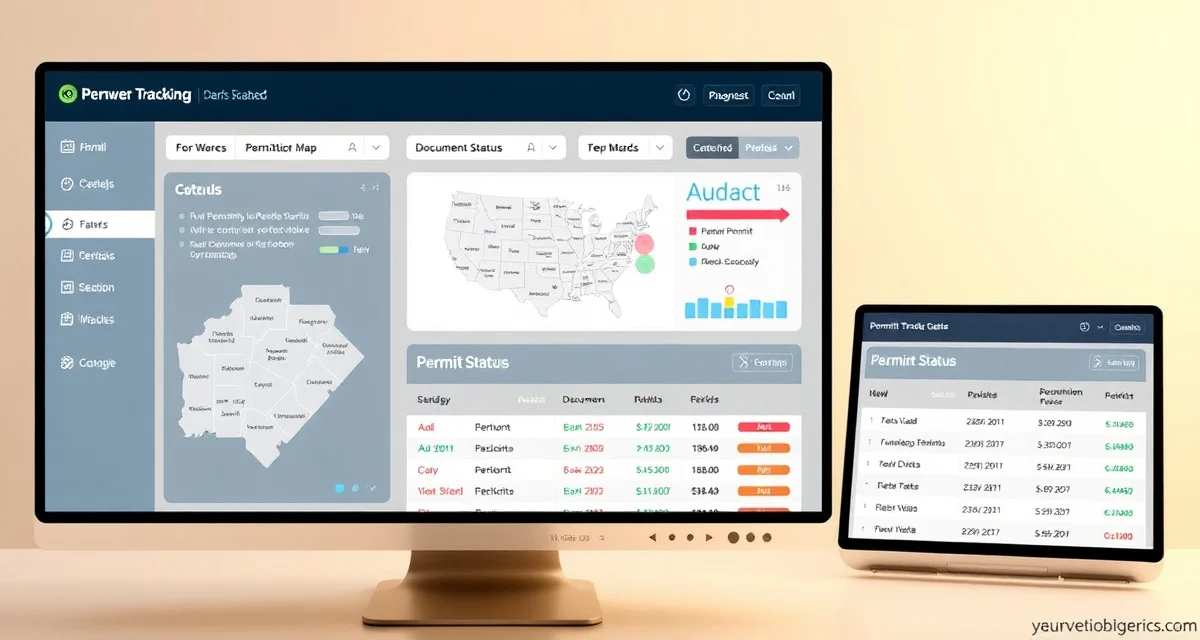
Septic Permit Tracking Software for Multi-County Operations
By the SepticMind Editorial Team
Every county has different forms. Different fees. Different review timelines. Different inspectors with different preferences. In Maricopa County, Arizona, you're applying to Environmental Services. In Forsyth County, North Carolina, it's Environmental Health. In Miami-Dade, it's the Department of Regulatory and Economic Resources. Each one has its own portal, its own process, and its own timeline from application to approval.
TL;DR
- Septic Permit Tracking Software for Multi-County Operations is designed to address the specific workflow and compliance requirements of septic service operations.
- Purpose-built septic software handles permit tracking, state inspection report templates, and tank data management that generic platforms do not offer.
- Companies managing ATU contracts, multi-county permit portfolios, or real estate inspection volume need software designed around those workflows.
- Mobile access allows field technicians to complete and submit inspection reports before leaving a property.
- Cloud-based platforms ensure records are accessible from any device and backed up automatically.
- Switching costs from generic software are real, so evaluating septic-specific platforms early saves migration pain later.
If you're working across 3 or 4 counties, permit tracking is a part-time job you didn't plan to hire for.
SepticMind built the county permit database because no other field service software bothered. They cover HVAC and plumbing, where permits are simpler and more standardized. Septic work has the most county-specific permit variation of any trade, and before SepticMind, there was no central system for tracking it.
What Permit Tracking Actually Involves
For any septic installation, major repair, or system modification, you're managing:
The application. The right form for the right county. Some counties have online portals. Some require in-person submission. Some require pre-application site visits from a county inspector before you can even file.
The wait. County review times range from 3 days (some Texas counties) to 6+ weeks (certain California counties and Massachusetts Board of Health reviews). You need to know where each application is in review, whether the county has questions, and whether approval is pending or complete.
The active permit. Once approved, the permit has a scope (what work is authorized), an expiration date (typically 6–12 months), and required inspections at specific stages. Missing an inspection means the permit can't be closed. Working outside the permit scope creates liability.
The inspection requirements. Most installation permits require at least two county inspections, one before backfill and one at system completion. Some counties require more. These need to be scheduled in a window that works for both your crew and the county inspector.
The permit close-out. Once work is complete and inspections pass, the permit needs to be officially closed. This triggers the final documentation, the as-built drawings, the final inspection report, that the homeowner needs and that you need in your records.
Managing this for 10 open permits across 4 counties means tracking 10 sets of timelines, inspection windows, and status updates. For a busy installation company, it's 30 or 40 permits at a time.
The SepticMind Permit Database
Coverage and Structure
SepticMind's permit database covers every county in all 50 states. For each county, the database includes:
- The regulatory agency responsible for septic permits
- Contact information for the permit office
- Application forms for installation, repair, alteration, and cessation
- Required supporting documentation (site evaluation, soil perc test, as-built drawings)
- Current fee schedules
- Average review timelines
- Required inspection stages
- Notes on local quirks and preferences where known
The database is updated continuously. Permit requirements change. Fees change. County offices merge or restructure. SepticMind's team maintains the database so you don't have to.
Using the Database for a New Job
When you create a new installation or repair job in SepticMind:
- Enter the job address
- SepticMind identifies the county and pulls applicable permit requirements
- You see the required permit type, application forms, fees, and typical review timeline
- Click to start a permit application record for this job
- The application record tracks status from submission through close-out
For counties with online portals, SepticMind links directly to the portal. For counties requiring paper applications, the required forms are available in the database with your company information pre-filled.
Tracking Open Permits
The Permit Dashboard
SepticMind's permit dashboard shows all open permits organized by status:
- Application submitted: waiting for county review
- Additional information requested: county has questions; action needed
- Approved: permit issued, work can begin
- Work in progress: permit active, work underway
- Inspection pending: work at inspection stage, county visit needed
- Inspection scheduled: inspection on calendar
- Inspection passed: cleared for next stage
- Permit close-out pending: work complete, final documentation needed
- Closed: permit officially closed
Filter by county, by job type, by status, or by permit expiration date. See at a glance where every open permit stands.
Status Update Workflow
When a permit status changes, your office staff updates the status in SepticMind. When a county inspector calls with questions, you note it in the permit record. When the county issues approval, you update to Approved and SepticMind notifies the field crew that work can proceed.
You can also attach county correspondence, email confirmations, approval letters, inspection reports, directly to the permit record. Everything related to that permit is in one place.
Expiration Alerts
Permits expire. If work doesn't start within the permit validity period, the permit lapses and you have to apply again. SepticMind sends alerts at 90 days, 30 days, and 7 days before permit expiration. You're not discovering an expired permit when the crew shows up to start work.
For permits where work is in progress but running long, the alert gives you time to request an extension from the county before the permit lapses.
State-Specific Permit Workflows
Different states have meaningfully different permit processes. SepticMind handles the major ones:
Massachusetts (Title 5)
Massachusetts Title 5 inspections are required for real estate transactions, system failures, and at owner request. The inspection is conducted by a licensed inspector, the report is filed with the local Board of Health, and the approval is good for two years (or extended if certain conditions are met).
SepticMind tracks Title 5 inspection status separately from installation permits. The database includes every Board of Health contact in the state, the specific filing requirements for each, and the Form 3 template for inspection reports.
California (F-11 and County Programs)
California septic permitting is decentralized, it runs through county environmental health departments with significant variation between counties. Sonoma County has different requirements than San Diego County. SepticMind's database covers each California county's specific forms, fees, and review process.
The state's F-11 inspection program for existing systems has its own documentation requirements, which are tracked separately in SepticMind's inspection module.
Florida
Florida's OSTDS (onsite sewage treatment and disposal systems) program runs through county health departments under state oversight. Installation permits, repair permits, and modification permits each have different requirements. SepticMind tracks all three, with state-standard forms for each permit type.
Texas
Texas septic permitting runs through county governments, and requirements vary substantially. Some Texas counties have highly developed permit processes. Rural counties in West Texas have minimal requirements. SepticMind's database covers the full range, including which counties require perc tests, which accept alternative design submissions, and which have no permit requirement at all for certain repair types.
Manifest Documentation
Pump manifests, the documentation that septage haulers are required to maintain for each pumping job, are a separate compliance requirement from construction permits. In most states, manifests must be maintained for each vacuum truck load and filed with the state environmental agency.
SepticMind generates pump manifests automatically for each job. The manifest includes:
- Hauler identification (your company license number)
- Date and time of service
- Customer name and address
- Volume pumped (gallons)
- Disposal site name and permit number
- Driver signature
For states with electronic manifest systems, Maryland, for example, SepticMind can export manifests in the required electronic format for direct submission.
Get Started with SepticMind
The right software for a septic company handles compliance and documentation alongside scheduling and billing. SepticMind is built specifically for septic operations, from county permit tracking to ATU maintenance management. Start a free trial to evaluate it against your workflow.
FAQ
How do I track permit status across multiple counties?
SepticMind's permit dashboard shows all open permits across all counties in a single view. You can filter by county, status, expiration date, or job type. When you open a permit record, you see the full timeline, application submitted, county correspondence, approval, inspection stages, and close-out. Status updates take 30 seconds. You're not managing a spreadsheet or a wall calendar to track where 30 open permits stand.
Does SepticMind cover permit requirements for all 50 states?
Yes. The county permit database covers every county in all 50 states, including the specific regulatory agency, required forms, fees, average review timelines, and inspection requirements. The database is maintained continuously to reflect changes in county requirements, fee schedules, and regulatory contacts. For states with highly variable county-level requirements, California, Texas, and Florida in particular, the database covers each county's specific process rather than applying a state-wide approximation.
Can I attach permit documents and county correspondence to a permit record?
Yes. Each permit record in SepticMind has a documents tab where you can attach permit applications, approval letters, inspection reports, county correspondence, and as-built drawings. Documents are stored in the permit record and also linked to the customer's service history. If a county inspector or homeowner asks for permit documentation years after the job is complete, you export it from the record in seconds.
What makes Septic Permit Tracking Software for Multi-County Operations different from general field service software?
The primary differences are septic-specific features: county permit databases, state inspection report templates formatted for regulatory submission, tank size and system type records that drive service interval calculations, and ATU maintenance contract management. General field service platforms can handle scheduling and invoicing but require manual workarounds for every compliance and documentation task that purpose-built septic software handles automatically.
Is there a free trial available to test the software?
SepticMind offers a free trial period so you can evaluate the platform with your actual workflow before committing. The trial includes access to the permit database, inspection report templates, and scheduling tools. Most companies complete their evaluation within two to three weeks and have a clear picture of how the platform fits their operation before the trial ends.
Try These Free Tools
Sources
- National Onsite Wastewater Recycling Association (NOWRA)
- US EPA Office of Wastewater Management
- NSF International
- Water Environment Federation
- National Environmental Services Center (NESC)