Using Images in Septic Inspection Reports: What to Capture and How
By the SepticMind Editorial Team
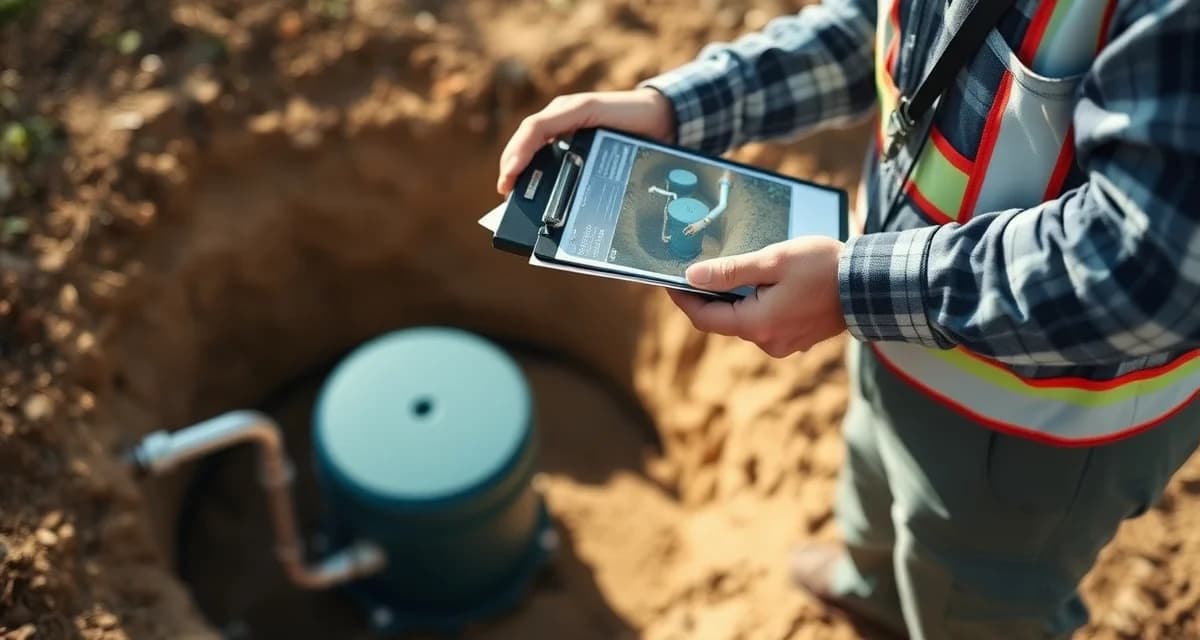
Reports with complete photo documentation are rejected by lenders 85% less often than text-only reports. That's a dramatic difference, and it makes sense. When an underwriter reviewing an inspection report can see the physical condition of what was inspected, they can evaluate the finding with their own eyes rather than relying entirely on the inspector's text description. A photo of an intact outlet baffle confirms the finding. A photo of a corroded baffle confirms that finding too.
TL;DR
- Septic inspections require state-specific report formats that must be completed correctly before they are accepted by regulators, lenders, or buyers.
- Photo documentation with timestamps and GPS coordinates is the minimum standard for defensible inspection reports.
- Real estate inspection reports in most states must be filed with the county health department within a specified timeframe.
- Inspector credentials must be current and visible on every submitted report; expired credentials are grounds for report rejection.
- Digital inspection tools reduce report completion time from hours to minutes and eliminate transcription errors.
- Consistent documentation quality across all technicians protects company reputation in the real estate inspection market.
Inspectors using photo documentation see 71% fewer post-inspection disputes with customers. A customer who received a text-only report with "tank in fair condition, recommend monitoring" has room to argue about what "fair condition" means. A customer who can see the photos of what the inspector observed has less room for dispute, the condition is documented visually.
SepticMind embeds geo-tagged, timestamped photos directly into report PDFs with one tap in the field app. You don't compile photos after the fact, they're attached to the job record as you take them, and they populate the report automatically.
What Photos Are Required and Expected
The required photos vary somewhat by lender type and state, but the following are standard for a professional septic inspection report:
Required Photos for All Inspections
Access lid or riser at the start. Before you touch anything, photograph the access point as it was when you arrived. This establishes the starting condition and confirms the inspection was performed at the correct property.
Tank condition after access. After opening the lid, photograph the liquid surface, visible sludge layer, and scum layer as observed from above. This is the before-pump-out condition photo.
Outlet baffle. Photograph the outlet baffle from above using a flashlight and angle that shows the baffle's condition. The outlet baffle is the most critical component for drainfield protection and must be documented. A clear photo shows whether it's intact, deteriorated, or missing, no ambiguity.
Inlet baffle. Document the inlet baffle condition with a photo. Less critical than the outlet baffle but still required documentation.
Tank walls. One or more photos showing the tank wall condition, looking for cracking, root intrusion, or structural concerns. In a well-maintained concrete tank, this may show little. In a deteriorating tank, it shows a lot.
Tank after pumping. After the tank is pumped out, photograph the empty tank interior. This gives the best view of tank structural condition and allows future reference for comparison.
Access lid condition. Photograph the lid from above showing its condition, intact, cracked, properly sized for access, riser present/absent.
Property overview. A photograph showing the property context, the home, yard, and general location of the tank and drainfield area. This confirms the property and provides context for the system's location.
Drainfield surface. Photograph the drainfield area showing ground surface conditions, normal vegetation, wet spots, unusual lush growth, surfacing effluent if any. This is evidence for drain field condition assessment from the surface.
Additional Photos for Lender-Required Inspections
Well location relative to septic system. For FHA, VA, and USDA inspections requiring setback documentation, a photograph showing the well in relation to the septic system access point supports the written setback measurement. This is especially important when the distance is close to or below the required minimum.
Property address confirmation. For real estate transaction inspections, a photo of the property address (visible on the mailbox or house) confirms the inspection was performed at the correct address. This is required by some lenders.
Distribution box (if present and accessible). Photograph the distribution box interior showing flow conditions and the condition of distribution pipes.
Control panel and alarm for alternative systems. ATUs, drip systems, and other pressurized systems should have a control panel photo confirming its condition and whether any alarms are active.
Condition-Specific Photos
When you observe something that requires documentation beyond the standard set, photograph it clearly:
- Cracking in tank walls, close-up showing the crack dimension and location
- Missing or damaged baffles, from multiple angles if the condition is unclear from one
- Root intrusion, showing the root location and extent
- Evidence of surface ponding or effluent, showing the wet area in context of the drainfield
- Any component that's absent when it should be present, document what's missing
- Any safety concern, a tank lid that's unstable, broken, or too small for safe access
How to Capture Photos Effectively in the Field
The technical quality of inspection report photos matters. A dark, blurry photo taken from the wrong angle doesn't document anything useful. These practices consistently produce useful inspection photos:
Light the interior. Most tanks don't have natural light at the depth you're photographing. Use a flashlight, headlamp, or the flash on your phone camera. A well-lit interior photo shows baffles, walls, and conditions clearly. A dark photo shows nothing.
Stable phone position. Tank opening photos taken with a shaking hand produce blurred images. Brace your arm against the lid opening, use burst mode on your phone camera, and review the photo before moving on. If it's blurry, retake it.
Angle for the baffle. The outlet baffle photo is the one most often taken from a bad angle. Position the camera to see the full baffle structure, not just the top of the pipe or the top of the opening. You want to be able to see whether the baffle extends down into the tank as designed.
Label and sequence. Take photos in the order of the checklist. When you review them in the office or the app later, the sequence should tell the story of the inspection. A good sequence: property, access, pre-pump liquid condition, tank walls, baffle photos, post-pump interior, drainfield area.
Don't skip the "nothing wrong" photos. Every required photo section should have a photo, even when there's nothing to document. A photo of intact baffles is evidence that they were inspected and found intact. Missing the baffle photo from a report that says "baffles intact" creates a documentation gap.
Organizing Photos for the Report
The photo organization matters as much as the photos themselves. A lender reviewing a report that has 20 unlabeled photos appended at the end can't use them effectively. Photos should be:
Labeled with what they show. "Outlet baffle, intact condition" is more useful than a filename like "IMG_4532.jpg"
Associated with the relevant report section. The baffle photo should appear near the baffle condition finding, not at the end of the report with the property overview.
Timestamped. The photo metadata (date and time of capture) provides documentation of when the inspection occurred. Geo-tagging adds the location coordinate.
SepticMind's bank appraisal inspection formats embed photos in the correct location within the report structure automatically when you attach them in the field app. The report format places each photo adjacent to the relevant inspection finding, with label and timestamp visible.
Get Started with SepticMind
Inspection work is the highest-visibility service in the septic trade, and your documentation quality directly affects your reputation with real estate agents, lenders, and county officials. SepticMind generates state-formatted inspection reports in the field with photo documentation attached. See how it supports your inspection workflow.
Frequently Asked Questions
What photos are required in a lender-compliant septic inspection report?
Lender-compliant reports require photos documenting each component that was assessed. At minimum: the property address for identification, the tank access lid condition, the pre-pump interior condition showing liquid level and visible layers, the outlet baffle (this is non-negotiable for most lenders), the inlet baffle, the tank interior after pumping showing structural condition, the drainfield surface area, and any condition findings noted in the written report. For inspections involving well proximity (FHA, VA), a photo showing the well in relation to the tank access is expected. For alternative systems, the control panel should be photographed showing its condition. Reports submitted without photo documentation for these components are frequently returned by FHA, VA, and USDA underwriters with a request for photos before the inspection can be accepted.
How do I organize photos in a septic inspection report for maximum clarity?
The most effective organization places each photo adjacent to the report section it documents. The outlet baffle photo appears with the baffle assessment. The drainfield surface photo appears with the drainfield condition assessment. Property identification photos appear in the header. This way, a reviewer reading the report sees the photo as evidence for each written finding rather than hunting through an appendix to match unlabeled photos to text. Label each photo with a brief description of what it shows and its condition. Use a consistent numbering or naming scheme that matches the report checklist order. Most professional inspection report software organizes photos this way automatically, if you're manually assembling reports, template your photo placement to match your standard checklist order.
Does SepticMind automatically embed field photos into the inspection report PDF?
Yes. When a technician captures photos in the SepticMind field app during an inspection (using the photo prompts embedded in the inspection checklist) those photos are automatically attached to the job record with geo-tag and timestamp. When the inspection report is generated, SepticMind places each photo in the correct section of the report PDF based on where it was captured in the checklist workflow. The outlet baffle photo appears with the baffle assessment, the drainfield photo appears with the surface condition section, and so on. The inspector doesn't need to manually organize photos or insert them into a Word document after the fact. This one-tap field capture to formatted report PDF workflow eliminates the most time-consuming step in inspection report preparation and ensures photos are never accidentally omitted from the final report.
What is the difference between a septic inspection and a septic pump-out?
A pump-out removes accumulated sludge and scum from the tank. An inspection evaluates the condition of all accessible system components: tank structure, baffles, distribution box, drainfield, and in some cases the outlet line. A real estate or regulatory inspection produces a written report in the state-required format with findings and a pass/conditional pass/fail determination. Many inspection visits include a pump-out as part of the service, but the pump-out alone is not the inspection.
Can inspection reports be submitted electronically to the county?
Yes, most counties and state agencies accept electronic inspection report submissions and many now prefer or require them. The report must be in the state-required format and include all required fields, the inspector's credentials, and any required signatures or attestations. Purpose-built inspection software generates the report in the correct state format and can submit it electronically directly from the field.
Try These Free Tools
Sources
- National Onsite Wastewater Recycling Association (NOWRA)
- US EPA Office of Wastewater Management
- NSF International
- American Society of Home Inspectors (ASHI)
- Water Environment Federation