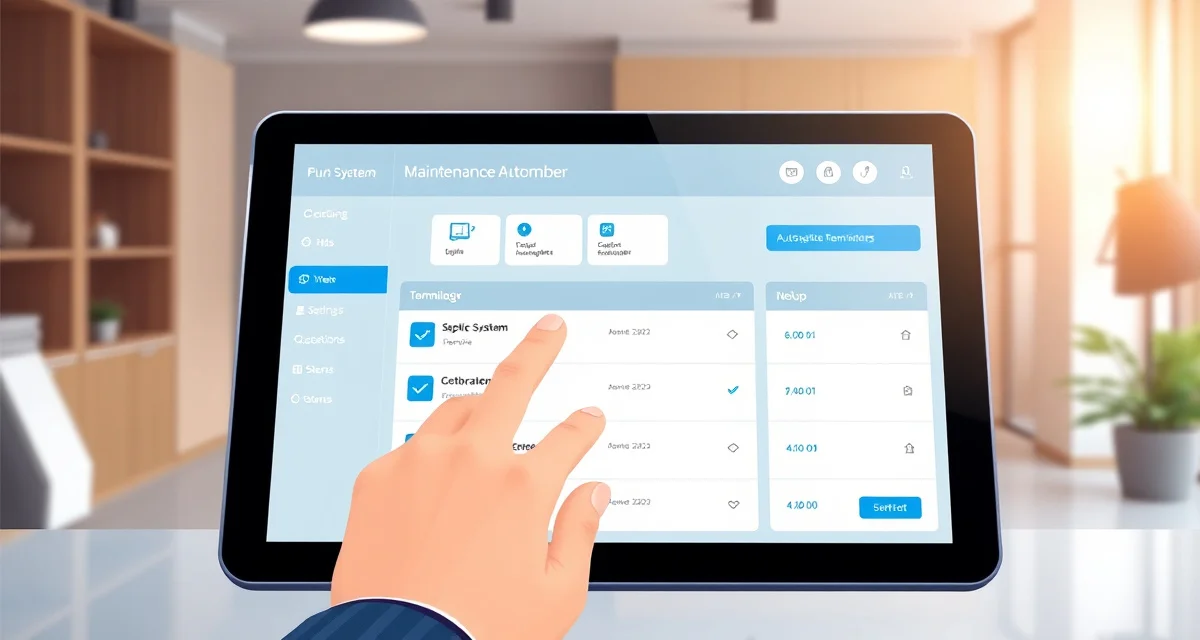
How to Automate Septic Maintenance Reminders: Stop Chasing Customers
By the SepticMind Editorial Team
The single most consistent revenue generator in septic service isn't emergency calls, it's scheduled maintenance. And the single biggest reason scheduled maintenance slots go unfilled is that nobody called the customer until they were already in trouble.
TL;DR
- Companies using automated reminders fill 22% more scheduled maintenance slots per month than those using manual outreach.
- Intelligent reminder systems calculate intervals from tank size, system type, and household occupancy rather than using a fixed calendar.
- ATU reminder intervals are fixed quarterly by state regulation, not by accumulation rate calculations.
- A three-touch sequence (90 days out, 30 days out, 7 days past due) captures both advance planners and customers who need a final nudge.
- Text messages outperform email for immediate booking response; email is better for detailed pre-service information.
- Reminder-booked appointments have lower no-show rates than phone-booked appointments because the customer was expecting to hear from you.
Companies using automated reminders fill 22% more scheduled maintenance slots per month. That's not magic. It's just getting in front of customers with the right message at the right time, consistently, without anyone on your team spending time on it.
Here's how to build a reminder system that actually works for septic service, not a generic field service system that sends the same message to everyone, but one calibrated to how septic systems actually work.
Step 1: Capture the Data That Makes Reminders Intelligent
Generic reminder systems are dumb. They send a reminder 12 months after the last visit, regardless of whether that schedule makes any sense for the specific system.
An intelligent septic reminder system calculates the right interval from system data. For that to work, you need to capture the right data for every customer:
Tank size. A 1,000-gallon tank is not the same as a 1,500-gallon tank. The interval for the same household size is meaningfully different.
System type. A conventional gravity system has different service interval logic than an ATU. An ATU requires quarterly maintenance regardless of household size. A mound system may need more frequent inspection port checks than conventional.
Household occupancy. Number of people in the household is the primary driver of accumulation rate. A family of 5 on a 1,000-gallon tank needs service every 2-3 years. A retired couple on the same tank can probably go 7-10 years.
Last service date. The clock starts from the last pump-out, not from when the customer signed up for your service.
Known system issues. If you know the outlet baffle is marginal or the drainfield is within 5 years of end of life, the service interval logic might change.
In SepticMind, these fields are part of every customer record. When a new job is created and tank specs are entered, the system calculates the next recommended service date automatically using interval logic calibrated to household size and tank capacity.
Step 2: Set Up Interval Logic by System Type
Not all reminders should work the same way:
Conventional gravity systems:
Use the household-size/tank-size matrix:
- 1,000 gallon + 1-2 people = 7-10 year interval
- 1,000 gallon + 3-4 people = 3-5 year interval
- 1,000 gallon + 5-6 people = 2-3 year interval
- 1,500 gallon + 3-4 people = 5-7 year interval
- Adjust for garbage disposal (reduce interval by 30%) and water softener (reduce interval by 20%)
Aerobic treatment units (ATUs):
Fixed quarterly service interval regardless of household size, the ATU needs maintenance to keep the biological process active, independent of accumulation rates.
O&M permit systems in regulated states:
Service interval is defined by the O&M permit, not by your internal calculation. Match the reminder schedule to the permit requirement.
Grease traps (commercial):
Based on usage patterns. A busy restaurant needs service every 2-4 weeks. A small café might be every 8-12 weeks. The interval adjusts based on accumulation rate tracked at each service visit.
Step 3: Set Up Multi-Touch Reminder Sequences
A single reminder sent 6 months before service is due isn't enough. Customers are busy, messages get missed, and you don't know who will read the first message and who will need three attempts.
A three-touch sequence works:
Touch 1: 90 days out
Subject: "[First name], your septic system service is coming up in the spring"
Message tone: Friendly informational. "Based on your [tank size] tank and household of [X] people, we'd recommend scheduling your next service within the next 3 months. [Booking link]"
Touch 2: 30 days out
Subject: "[First name], your septic service is due next month"
Message tone: Action-oriented. "It's time to schedule your septic service. Click below to pick a time that works. [Booking link]"
Touch 3: 7 days past due
Subject: "Have you scheduled your septic service yet?"
Message tone: Helpful urgency. "Your system is now a few weeks past its recommended service date. Skipping service can reduce your drainfield's lifespan. [Booking link]"
Some customers book at touch 1. Most book at touch 2 or after a direct call. Touch 3 catches the ones who meant to but got busy.
Step 4: Decide on Channels
Text messages get opened. Emails don't, as reliably. If you're choosing one channel, start with text.
The most effective setup:
- Text for the 30-day reminder, highest open rate, drives fastest booking
- Email for the 90-day reminder, gives customers a written record they can file
- Text + phone call for the 7-day past-due follow-up, reserved for customers with known aging systems or past drainfield issues
Configure opt-outs for customers who prefer one channel or the other. Some older customers prefer a phone call to a text; make it easy to flag those customers in their record.
Step 5: Test the Sequence Before Full Launch
Before you send automated reminders to your entire customer base:
- Run the first 20 reminders manually, confirm the right customers are getting the right messages with accurate system details
- Check that booking links work and route to the right appointment type
- Verify the unsubscribe/opt-out function works correctly
- Confirm your scheduling system can actually handle the bookings the reminders generate
The worst outcome is sending 500 reminders that drive people to a booking link that doesn't work.
Step 6: Monitor and Adjust
Once the system is running, track:
- Open rate by channel and message number, Are texts being opened? Is email underperforming?
- Booking conversion rate, What percentage of customers who get reminders book service?
- Time from reminder to booking, Are most bookings happening immediately after touch 1, or are customers waiting until touch 3?
- Cancelled or no-show rate from reminder-booked appointments, Compare to walk-in or phone booking cancellation rates
Most companies find that reminder-booked appointments have significantly lower no-show rates than phone-booked appointments, because the customer was expecting to hear from you rather than receiving a cold call.
Get Started with SepticMind
SepticMind is designed around the actual workflows of septic service companies, from county permit tracking to automated maintenance reminders. Whether you are managing a single truck or a multi-county fleet, the platform scales with your operation. See how it works for your business.
FAQ
How does SepticMind determine the right service interval for each customer?
SepticMind calculates service intervals using a combination of tank size, household occupancy recorded in the customer record, and system type. The calculation uses established accumulation rate data, a 1,000-gallon tank for a family of 4 accumulates sludge at a predictable rate, which maps to a recommended pump-out interval. When a service visit is completed, the system recalculates the next recommended service date from the completion date and updates the reminder schedule automatically.
Can I customize reminder messages for different service types?
Yes. SepticMind allows separate reminder templates for routine pump-outs, ATU maintenance visits, real estate inspection bookings, and other service types. Each template can have different timing, tone, and booking link routing. Seasonal messages (spring opening for seasonal properties, pre-winter reminders) can be configured separately from annual service reminders.
How do I handle customers who don't want text messages?
Customer records in SepticMind include communication preferences. Customers who opt out of text messages can be configured to receive email-only or phone call reminders. The system respects opt-out preferences automatically and doesn't send messages to customers who've indicated they don't want them.
How do automated reminder systems prevent sending wrong intervals to customers?
Purpose-built septic reminder systems tie the interval calculation to the system data in the customer record: tank size, household occupancy, and system type. When a service visit is completed and documented, the system calculates the next recommended service date from that completion date and updates the reminder schedule automatically. A family of five on a 1,000-gallon tank gets a 2-year reminder, while a retired couple on a 1,500-gallon tank gets a 7-year reminder. Generic reminder systems send the same interval to everyone, which creates the wrong schedule for most customers.
What should the message say in an automated maintenance reminder?
Effective maintenance reminders include the customer's first name, a specific statement that their system is coming due based on their tank size and household, an easy path to book (a direct booking link or a phone number), and a brief, plain-language reason why service on schedule protects their drainfield. Reminders that include the specific tank size or household occupancy details show customers the message is based on their actual situation, not a generic broadcast. Keep messages short; the goal is a booking, not an education.
Try These Free Tools
Sources
- National Onsite Wastewater Recycling Association (NOWRA)
- US EPA Office of Wastewater Management
- National Environmental Services Center (NESC)
- Water Environment Federation
- Occupational Safety and Health Administration (OSHA)