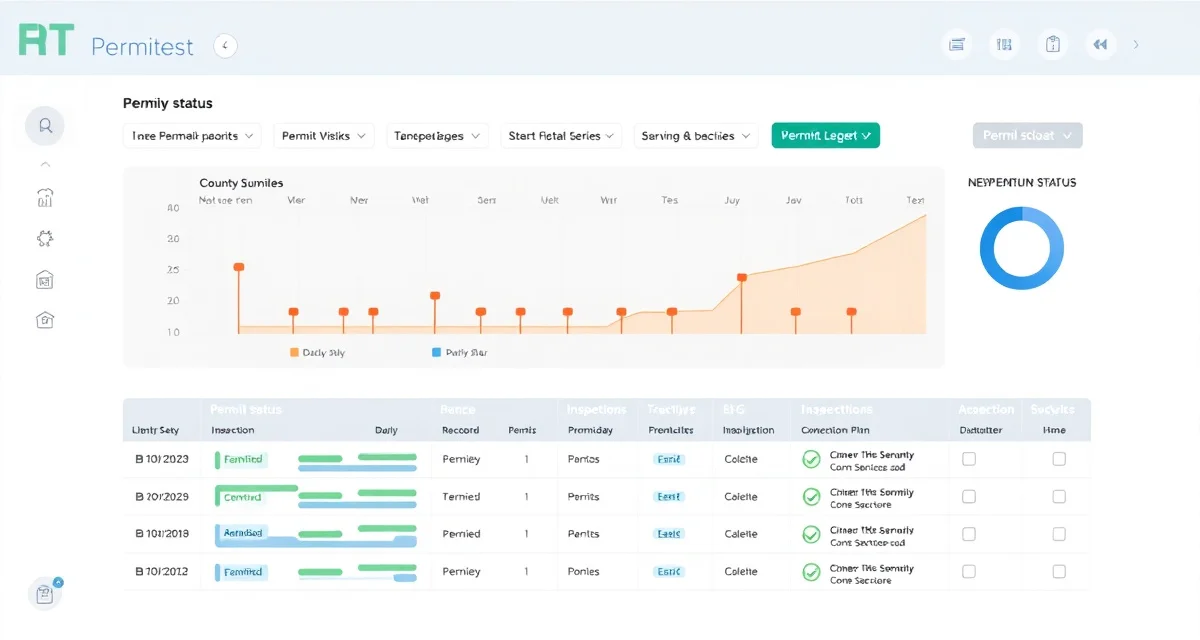
How to Track Septic Permit Status Across Multiple Counties
By the SepticMind Editorial Team
Running 8 open installation permits across 4 counties means 8 separate timelines, 8 sets of county contacts, and 8 sequences of application → review → approval → inspection → close-out. Without a system, things fall through the cracks. Permits expire before work starts. Jobs get scheduled before permits are approved. Inspections get missed.
TL;DR
- Septic permit and compliance requirements are set at the state level but administered at the county level, creating significant variation within a single state.
- Operating without required permits or missing compliance deadlines can result in fines, stop-work orders, and license referrals.
- Permit applications must include specific documentation (soil evaluations, site plans, contractor license) that varies by county.
- Multi-county operations need a systematic approach to tracking permit applications, status updates, expiration dates, and renewal deadlines.
- Digital permit tracking reduces the risk of missed deadlines that compound into compliance notices and license risk.
- SepticMind's county permit database covers all 50 states with current forms, fees, and review timelines.
Here's a step-by-step system for staying on top of permit status, whether you're using SepticMind or building a manual process.
Step 1: Create a Permit Record for Every Job That Requires One
This sounds obvious, but it's where many operations fall apart. The permit tracking habit has to start the moment a job is created, not when the permit application is about to expire.
For every installation, major repair, or modification job, create a permit record immediately. Capture:
- Job address
- County/jurisdiction
- Permit type required (installation, repair, alteration, etc.)
- Permit application date (or "not yet submitted")
- Assigned person responsible for following up
If you're doing this manually, a shared spreadsheet with consistent columns works. If you're in SepticMind, the permit record is created automatically when you add a job in a permit-required county.
Step 2: Know the Timeline for Each County
Every county has a different review timeline. Some counties turn permits in 3–5 business days. Others take 3–6 weeks. A few, particularly in California and some New England jurisdictions, can run 60+ days.
You need to know the timeline for every county you work in. This drives two important scheduling decisions:
- When to apply: Apply early enough that the permit is approved before your installation crew is scheduled. If a county takes 3 weeks and you need to start in 4 weeks, apply now.
- When to follow up: If a permit is past the expected review window and you haven't heard, it's time to call the county.
Build a reference list of county review timelines for every jurisdiction you work in. Update it when it changes, and it does change based on county staffing and workload seasons.
Step 3: Set Follow-Up Reminders at the Expected Review Date
When you submit a permit application, set a follow-up reminder for the expected review completion date. This is your trigger to check status proactively rather than waiting for the county to contact you.
When the reminder fires:
- Call or check the county portal for status
- If approved: update the permit record and notify the install crew
- If still in review: get an expected date and set a new follow-up reminder
- If the county has questions: they've usually tried to contact someone. Find the question and answer it.
For SepticMind users, this happens automatically, the system tracks the expected review timeline for each county and flags permits that are past their expected approval date.
Step 4: Track Required Inspection Stages
Most installation permits require county inspections at specific stages:
- Pre-installation inspection: Some counties require a site visit before work begins to verify the layout
- During installation: Many require inspection before backfilling so the inspector can see the system
- Final inspection: Required to close out the permit
For each open permit, track which inspection stages have been completed and which are pending. When you reach an inspection stage, schedule the county inspection immediately, don't wait until the day before you need to backfill.
Common mistake: Finishing installation and then discovering the county needs 5 business days' notice to schedule the final inspection, and you can't backfill or finish the job until after the inspection. Know the inspection scheduling lead time for each county before you start work.
Step 5: Track Permit Expiration
Permits expire. Construction permits typically have a validity period of 6–18 months from issuance (varies by state and county). If work doesn't start, or if work is ongoing but takes longer than expected, the permit can expire.
Track expiration dates for every open permit. Set alerts at 60 days and 30 days before expiration. If you need more time, request an extension from the county before the permit expires, most counties will grant one if requested proactively. A lapsed permit requires a new application, new fees, and potentially a new site evaluation.
Step 6: Close Out Completed Permits
Permit close-out is frequently skipped or delayed, and it causes problems later. When work is complete and all inspections are passed:
- Confirm the permit is officially closed with the county
- Update the permit record to "Closed" status
- File the as-built documentation in the customer record
- Save any county-issued completion documents
An officially closed permit is proof that the work was completed and inspected to code. For real estate transactions, a permit close-out on file is significantly better than an open or lapsed permit that makes buyers nervous.
Get Started with SepticMind
Permit compliance across multiple counties is one of the first places a growing septic business loses control. SepticMind's permit database and tracking tools cover all 50 states with county-level detail, automated deadline alerts, and document storage by project. See how permit management works.
FAQ
How do I know when a permit has been approved if the county doesn't call me?
Most county health departments and environmental agencies have at least one of these: an online permit portal you can check, a standard turnaround time after which you call, or a specific contact you follow up with. Build the follow-up call into your workflow at the expected approval date. Don't assume no news is good news, sometimes permits sit because the county has a question and the contact information in their file is wrong.
What happens if a permit expires before I finish the job?
Contact the county immediately and request an extension. Most counties will grant an extension if requested before expiration, especially if work is underway and there are legitimate reasons for the delay. Fees for extensions are typically modest compared to the cost of starting the permit process over. Never let a permit lapse without attempting to extend it, the cost of a new application, new fees, and potentially a new site evaluation is preventable.
Should I track permits for repair jobs or just installation?
Both. Major repair permits, tank replacement, drain field repair or replacement, pump chamber installation, carry the same application, inspection, and close-out requirements as installation permits in most states. Repairs done without required permits are code violations that can surface in real estate transactions and create significant liability. Track every job that requires a permit, regardless of whether it's new installation or repair work.
What are the consequences of performing septic work without a required permit?
Performing septic work without required permits can result in stop-work orders halting the project, fines on a per-day or per-violation basis, mandatory removal of unpermitted work at the contractor's expense, and referral to the contractor licensing board for potential license action. In some states, unpermitted septic work also creates civil liability for the contractor if the system later fails and the homeowner can show the work was not properly inspected. Obtaining permits before beginning work protects both the contractor and the property owner.
How should a septic company track permit deadlines across multiple counties?
A spreadsheet can work for a single county, but multi-county permit tracking requires a system with automated deadline alerts, status tracking, and the ability to store permit documents by project. The most common failure mode is a permit that was applied for and approved but whose inspection deadline was missed because no one was actively monitoring it. Purpose-built septic software with a permit tracking module flags upcoming deadlines automatically and keeps all permit documentation attached to the relevant project record.
Try These Free Tools
Sources
- National Onsite Wastewater Recycling Association (NOWRA)
- US EPA Office of Wastewater Management
- NSF International
- Water Environment Federation
- National Environmental Services Center (NESC)